Close Profit EA for MT5: One-Click Closer for Profitable Positions
- Instant Download
- Lifetime Access
- Free Updates
- 24/7 Support
Code: EX53821
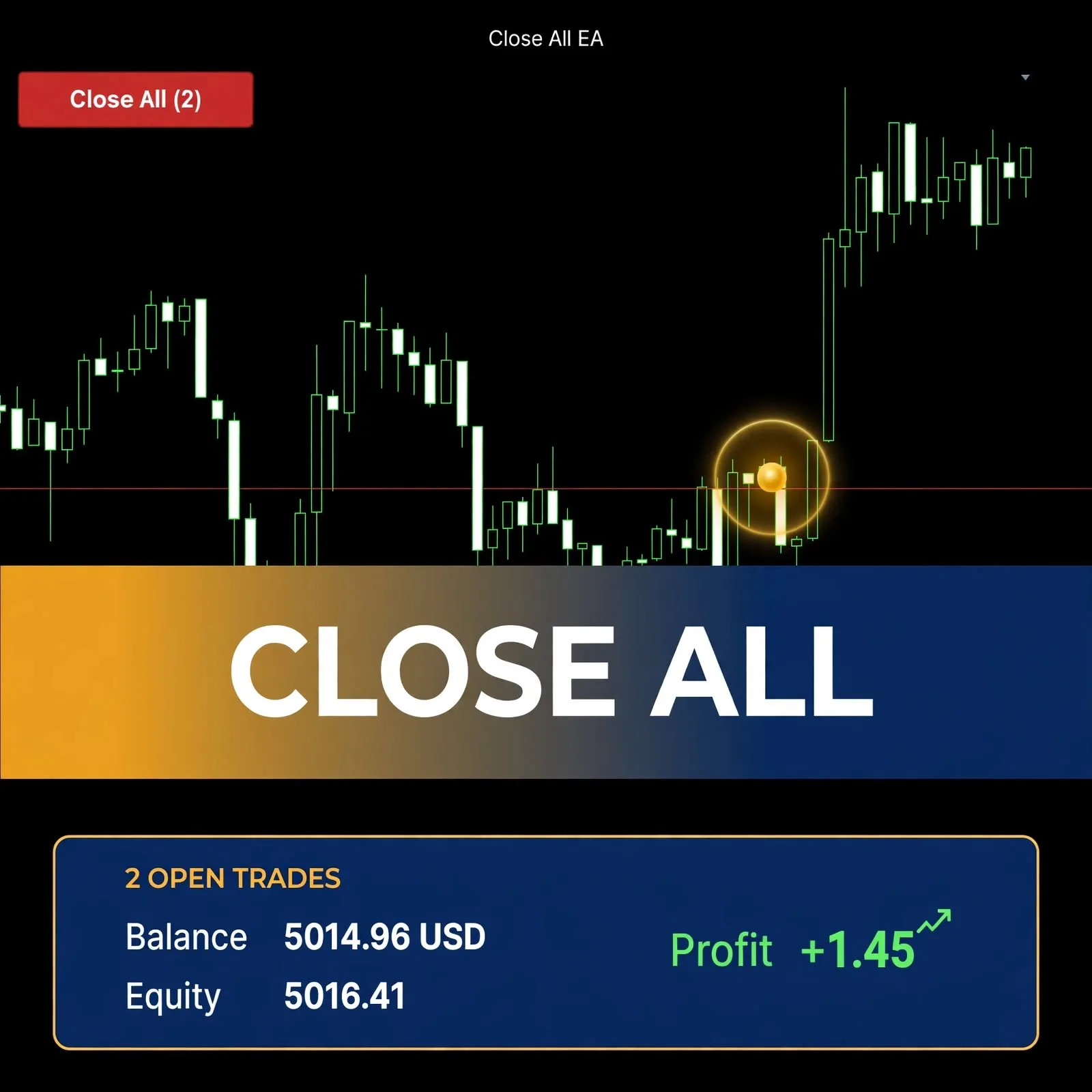
Closing only the winners on a busy account usually means clicking through the Trade tab one ticket at a time. Close Profit EA for MT5 places a single button in the corner of your chart that closes every open position currently showing a gain on that chart’s symbol, and leaves losing positions untouched.
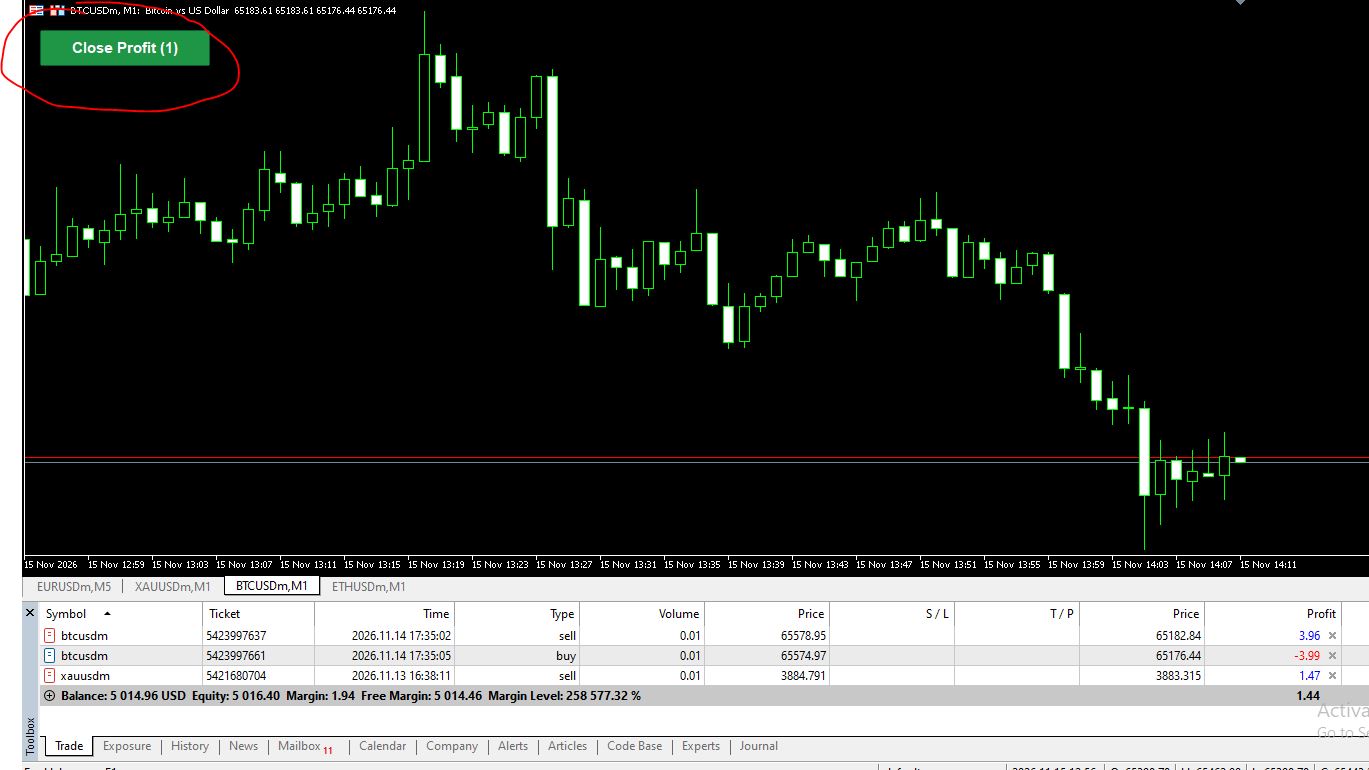
A Chart Button That Counts Your Winning Positions
- Live counter on the button: the label reads “Close Profit (1)”, “Close Profit (4)” and so on. A one-second timer refreshes it, so it updates even when no new ticks arrive.
- Profit plus swap test: a position qualifies when its profit plus swap is above zero. Losing and break-even positions are skipped.
- Every origin included: it works with all magic numbers, so manual trades and trades opened by other EAs on the same symbol are counted too.
- Symbol-scoped by design: only positions on the symbol of the chart where the EA is attached are touched.
- Automatic retries: if your broker rejects a close, the EA tries again every 2 seconds, up to 10 attempts per click.
- Optional confirmation box: a Yes/No prompt names the symbol and the number of trades before anything is closed.
From Click to Closed Ticket: Confirmation, Close Orders and Retries
Picture a BTCUSD chart with a profitable sell, a losing buy, and a gold position on another chart. The button on the BTCUSD chart shows (1), because only one position there is in profit.
When you click, the EA first recounts the qualifying positions. If there are none, it logs a message in the Experts tab and does nothing. If confirmation is on, the prompt appears next. The EA then checks that Algo Trading is allowed and sends a market close for each qualifying position by ticket, using your slippage setting.
After that pass it recounts. Anything still open is retried every 2 seconds until the list is empty or 10 attempts are used. If trades remain after that, an alert shows how many and points you to the Experts log.
A small “VeroFX.com” label sits in the lower-right corner of the chart. Clicking it shows the website address in an alert.
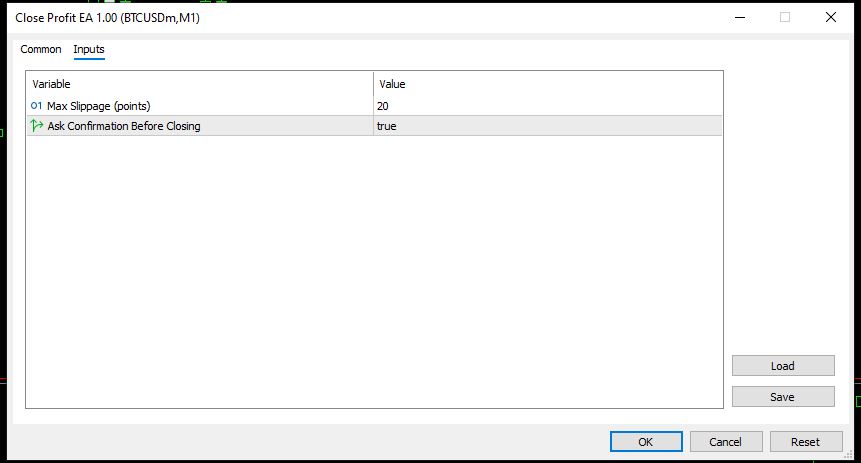
Two Inputs: Slippage in Points and the Confirmation Prompt
| Input | Default | What it controls |
|---|---|---|
| Max Slippage (points) | 20 | Maximum price deviation, in points, allowed when closing a position |
| Ask Confirmation Before Closing | true | Shows a Yes/No box before any position is closed; set to false for an immediate close on click |
Installing Close Profit EA on MT5: Algo Trading and One Chart per Symbol
Close Profit EA is built for MetaTrader 5 only. Compatibility may vary by broker and account type.
Place the EA file in the MQL5\Experts folder (File > Open Data Folder), refresh the Navigator, and drag it onto a chart. Turn on Allow Algo Trading. If it is off, clicking the button shows an alert and no trades are closed.
Because the EA acts on its own chart’s symbol, attach it once to a chart for each symbol where you want the button. It does not open trades, so it does not need to run unattended. It needs the terminal open and connected when you click. Try it on a demo account first so you can see how the counter and confirmation box behave.
Made for Hands-On Position Managers, Not for Hands-Off Automation
This tool suits traders who manage several open positions by hand and want to bank the winners without hunting through tickets. It also suits traders who run other EAs and want a manual override for the profitable side. If you also want balance, equity and margin level on the same chart, the account panel balance equity margin level indicator can sit alongside it.
It is not for you if you need automatic entries, stop-loss or trailing logic, or a single click that closes winners across every symbol. If you want automated trade execution, browse other expert advisors instead.
What Can Go Wrong When One Click Closes Positions at Market
- A close is final. Once a position is closed at market, you cannot undo it. Leave the confirmation prompt on unless you are sure.
- The count can go stale. Prices move between the moment the button shows a number and the moment orders reach the broker. A position can slip below zero before it is closed, or move into profit after the count.
- Fills depend on your broker. Slippage, requotes, spread widening and rejections vary by broker and account type. A close can fill at a price different from what you saw.
- Fees are not in the test. The profit check uses position profit plus swap. Commissions or other charges are not part of that calculation.
- Retries have a limit. After 10 attempts, any trades still open stay open, and you must close them yourself.
- Keeping only losers has consequences. Closing winners leaves your losing positions running, which changes your exposure. See this forex risk management complete guide before you decide what to keep open.
Only risk an amount you can afford to lose.
Questions About Symbols, Magic Numbers and Failed Closes
Will it close profitable trades on every symbol I have open?
No. It acts only on the symbol of the chart it is attached to. To use the button on another symbol, attach the EA to a chart of that symbol as well.
Does it close trades opened by other EAs?
Yes. It works with all magic numbers, so any profitable position on that symbol is included, whether you opened it manually or another EA did.
What happens if my broker rejects a close request?
The EA retries every 2 seconds, up to 10 attempts per click. If any trades are still open after that, it shows an alert with the number remaining. The Experts log records the reason code.
Can I turn off the confirmation box?
Yes. Set “Ask Confirmation Before Closing” to false in the inputs, and the next click closes qualifying positions immediately.
Disclaimer
This product is provided for educational and analytical purposes only and is not financial advice. Forex and CFD trading involves a high level of risk, and you can lose some or all of your capital. Leverage can magnify both gains and losses. No product can guarantee profits, and results vary. Never trade with money you can’t afford to lose.
Expert Advisors execute trades automatically and can incur losses, including during unusual market conditions, news events, or technical failures. Backtested or past results don’t guarantee future performance. Test on a demo account first and understand the settings before using real funds.
MetaTrader, MT4, and MT5 are trademarks of their respective owners. This product is not affiliated with or endorsed by MetaQuotes Ltd.