Candle Timer: Candle Close Countdown Indicator for MT5
- Instant Download
- Lifetime Access
- Free Updates
- 24/7 Support
Code: IN31780
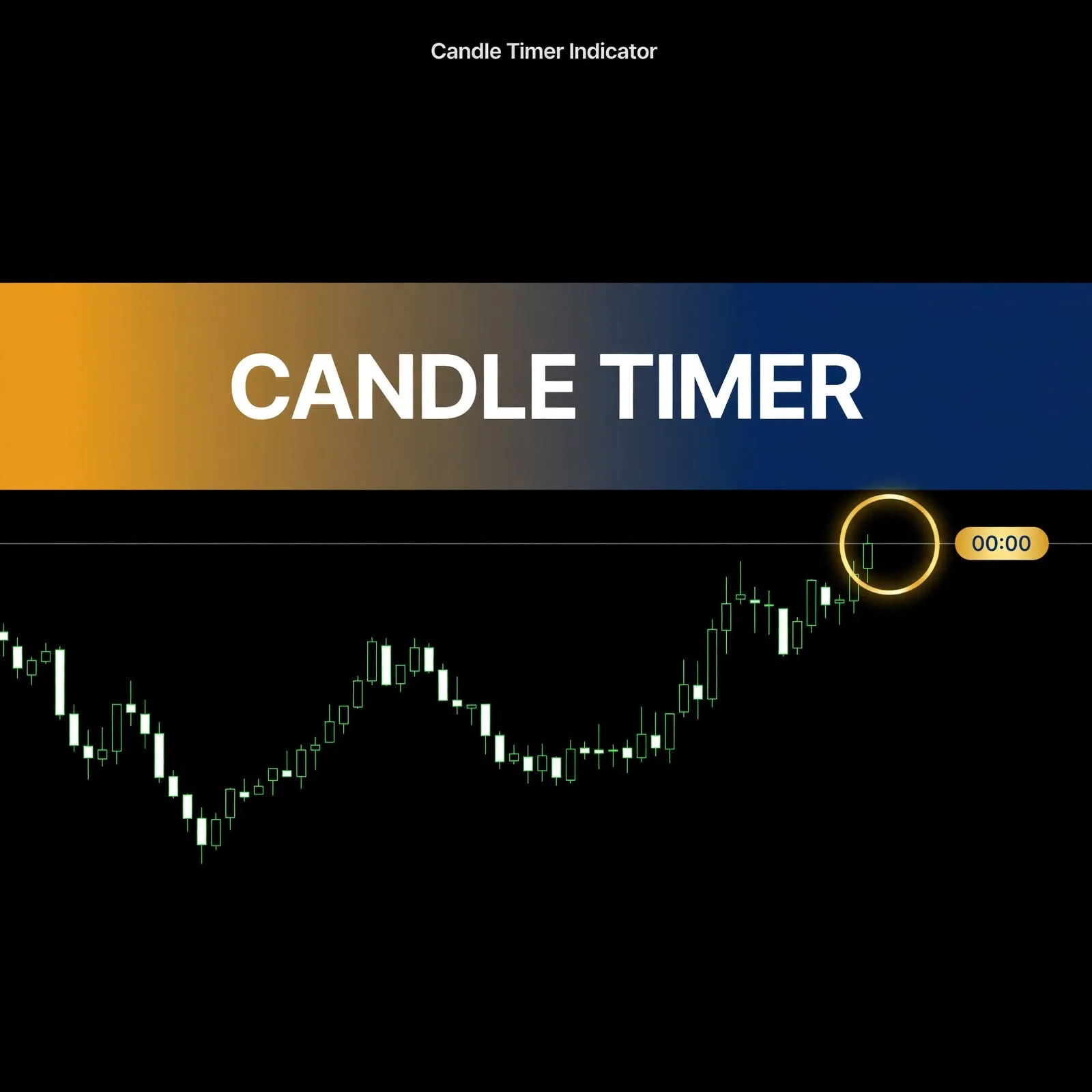
On an M5 chart, the difference between acting 40 seconds before a candle closes and acting after it closes can change what you see. A candle close countdown indicator removes the guesswork. Candle Timer is an MT5 indicator that shows how much time is left in the current candle, right next to the price it belongs to.
A Countdown That Sits on the Live Candle and Turns Color Near the Close
- Follows the live candle. The Panel corner input is shown set to “On candle (follows the live candle)”, so the timer travels with the current bar instead of staying in a screen corner.
- Clock-style readout. Time format is shown as Clock (MM:SS), for example 02:35 left on an M5 candle.
- Warning color near the close. When the seconds left drop to your chosen threshold, the timer uses the warning color (OrangeRed in the screenshot), so you notice the approaching close without reading the numbers.
- Small brand label. A compact label sits with the timer, and clicking it opens the VeroFX website. Its size and color are adjustable.
- Full control of the look. Font, font size, colors, and position offsets are all inputs, so it can match your chart template.
Every Input on the Candle Timer Settings Screen
The Inputs tab contains the following. The values below are the ones shown in the product’s settings window.
| Input | Value shown | What it controls |
|---|---|---|
| Panel corner | On candle (follows the live candle) | Where the timer is placed |
| Time format | Clock (MM:SS) | How the remaining time is displayed |
| X distance | 15 | Horizontal offset of the timer |
| Y distance | 25 | Vertical offset of the timer |
| Timer font | Consolas | Typeface of the countdown |
| Timer font size | 18 | Size of the countdown text |
| Brand font size | 9 | Size of the brand label |
| Timer color | White | Normal countdown color |
| Warning color | OrangeRed | Color used when time is nearly up |
| Warning when seconds left <= | 10 | Threshold that triggers the warning color |
| Brand color | 231,152,19 | Color of the brand label |
The warning threshold is the setting most traders adjust. On M1, 10 seconds is a large share of the candle. On H1, it’s a very small share. Raise or lower it to suit your timeframe.
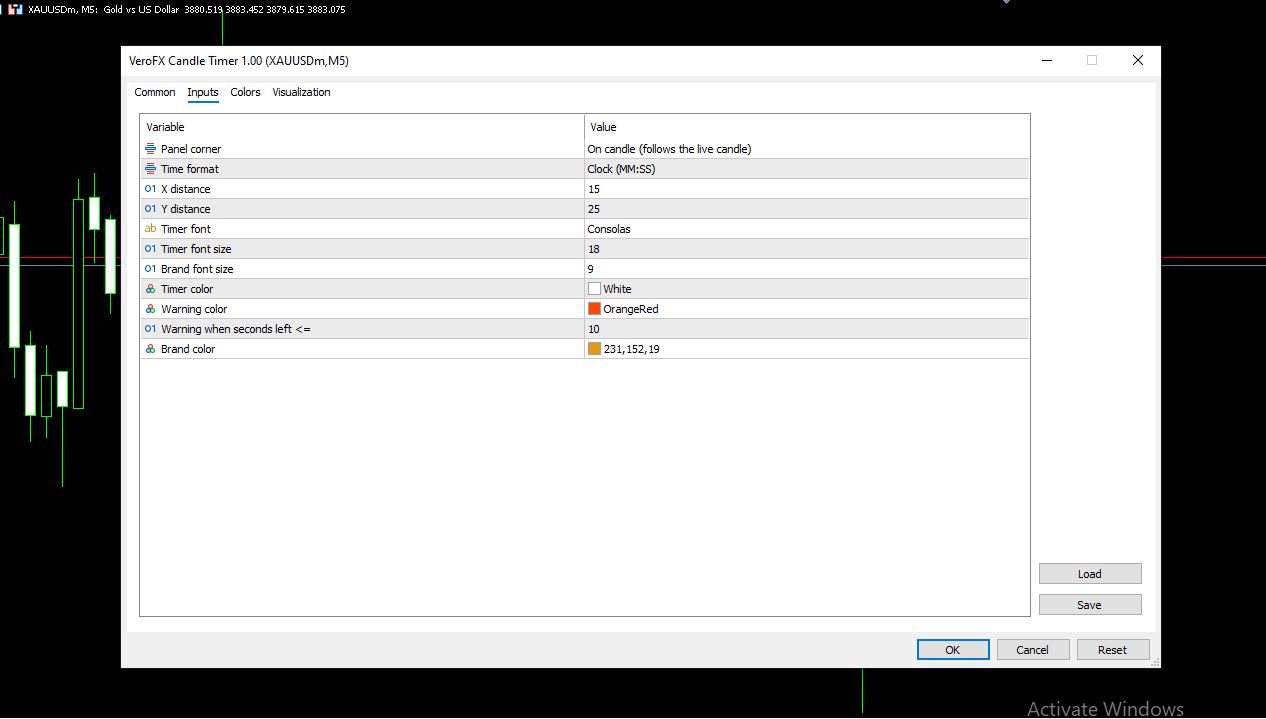
The settings window also includes Common, Colors, and Visualization tabs for further display adjustments.
Why the Seconds Left in a Candle Matter for Candle-Close Decisions
A candle isn’t final until it closes, and its open, high, low, and close can all still change while it forms. Many traders, especially those who read price action, wait for the close before judging a pattern. A countdown shows how long that wait is, so you can see whether it’s worth watching or whether the bar has plenty of time left.
It also helps with timing routines, such as checking a setup only in the final seconds of a bar, or avoiding decisions mid-candle. The indicator itself doesn’t analyze price. It only reports time.
Placing Candle Timer on an M5 Chart on MT5
The product settings screenshot was captured on a gold symbol (XAUUSDm) on M5, and the countdown follows whichever timeframe your chart uses. Symbols and timeframes beyond this example aren’t specified on this page, so test it on a demo account with your own instruments. Compatibility may vary by broker and account type.
Installing a Candle Timer .ex5 File in MT5
MT5 indicators are normally installed as .ex5 files. In MT5, choose File > Open Data Folder, then MQL5 > Indicators, and copy the file there. Refresh the Navigator panel (or restart MT5), then drag Candle Timer onto a chart. The settings window opens, where you can adjust position, fonts, colors, and the warning threshold.
Built for Traders Who Time Their Decisions to the Bar Close
Likely a good fit if you:
- Scalp or trade short timeframes where seconds matter (see scalping vs day trading vs swing trading)
- Wait for candle closes before acting on a pattern
- Want a countdown attached to the live candle instead of in a corner
Probably not for you if you:
- Expect the indicator to analyze trends or suggest entries
- Don’t use candle-close timing in your approach
- Want a tool that does more than show remaining time
What a Candle Countdown Can’t Do for Your Trading
Be clear about the limits before relying on it:
- It shows time only. It doesn’t indicate direction, strength, or whether a candle will close up or down.
- The countdown follows your platform’s clock and the timeframe you’ve chosen, which may differ from your local time.
- Connection delays and broker platform behavior can affect how smoothly a timer updates.
- A countdown can encourage hurried decisions in the last seconds of a bar. Impatience is a common source of poor entries, as covered in how emotions affect trading decisions.
- Spreads, slippage, and liquidity vary by broker and account type and affect real execution.
- Indicators display information based on historical price data and can mislead in some conditions.
Questions About the Warning Color, Timeframes, and Chart Placement
Can I change when the warning color appears?
Yes. The “Warning when seconds left <=” input sets the threshold. It’s shown as 10 seconds, and you can raise or lower it.
Does it work on timeframes other than M5?
The countdown follows the chart’s timeframe, so it’s built to show time left in whichever candle is live. Test it on a demo account with your own symbol and timeframe.
Can I move the timer?
Yes. X distance and Y distance control its offset, and Panel corner controls where it’s placed. It’s shown set to follow the live candle.
Can I match the colors to my chart?
Yes. Timer color, Warning color, and Brand color are all adjustable, along with the timer font and font sizes.
Disclaimer
This product is provided for educational and analytical purposes only and is not financial advice. Forex and CFD trading involves a high level of risk, and you can lose some or all of your capital. Leverage can magnify both gains and losses. No product can guarantee profits, and results vary. Never trade with money you can’t afford to lose.
Indicators display information based on historical price data and may produce misleading or delayed signals in some market conditions. They should be used as one part of a complete trading plan with proper risk management.
MetaTrader, MT4, and MT5 are trademarks of their respective owners. This product is not affiliated with or endorsed by MetaQuotes Ltd.