Session Map: Forex Session Indicator for MT5
- Instant Download
- Lifetime Access
- Free Updates
- 24/7 Support
Code: IN74403
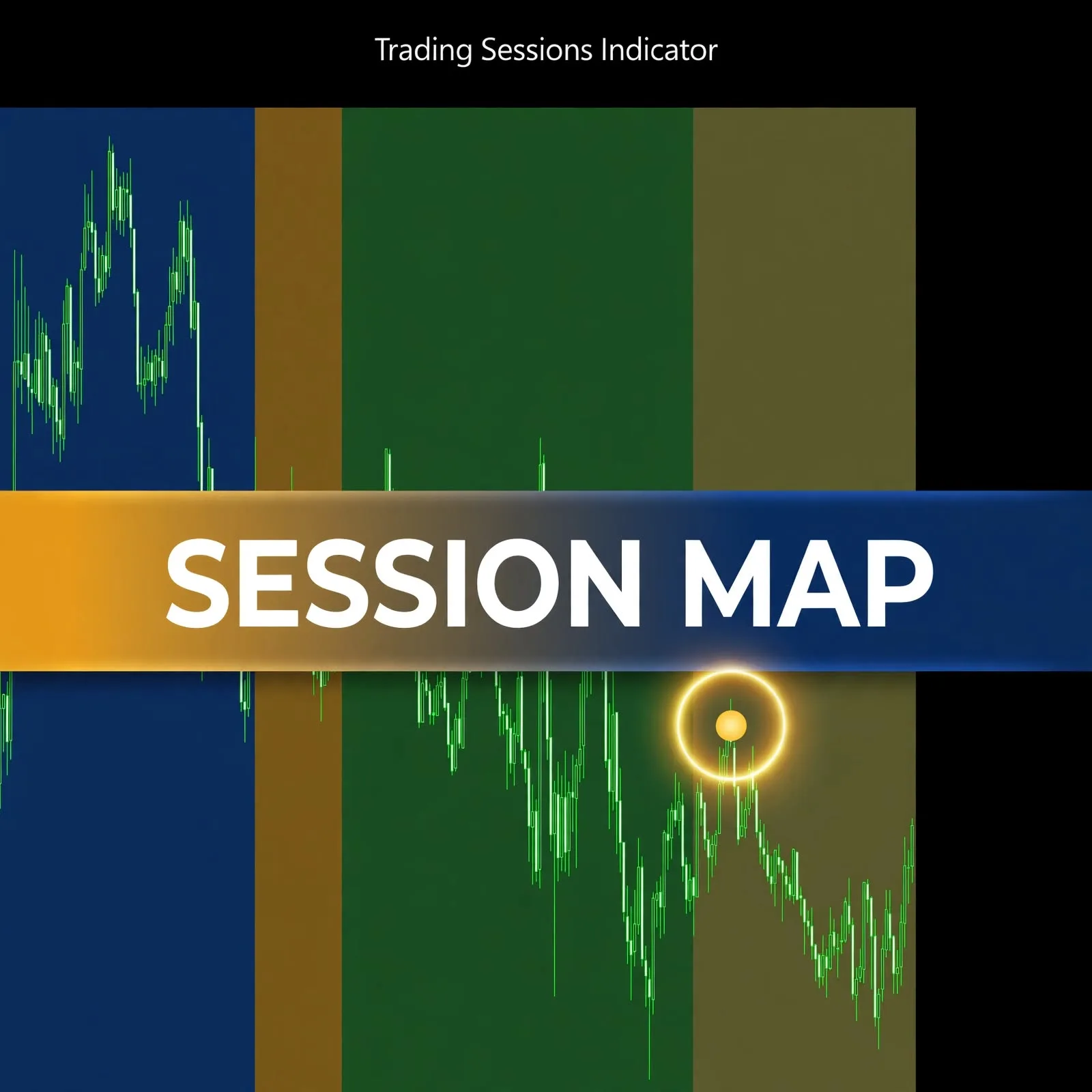
Scroll back through a day of M5 candles and it’s hard to tell which bars printed during Tokyo hours and which during London. Session Map is a forex session indicator for MT5 that draws the Sydney, Tokyo, London, and New York sessions as colored boxes on your chart, so the timing is visible while you read price.
Four Session Toggles, Four Colors, One Chart
- Each major session gets its own switch. Sydney, Tokyo, London, and New York can each be shown or hidden, so you can keep only the sessions you actually plan around.
- Distinct default colors per session. Sydney is dark blue, Tokyo dark red, London dark green, and New York dark olive, so you can tell sessions apart at a glance without reading labels.
- Optional background fill. Turn the fill on for solid session boxes or off if you prefer a lighter chart.
- Adjustable box height. The height is set as a percentage, so you control how much of the chart each box covers.
- Capped history drawing. A maximum-history-bars setting limits how far back boxes are drawn, which keeps older chart areas from filling with shading.
Session timing is a reference layer, not an analysis method on its own. Forex trading sessions explained covers how the sessions are defined, which helps when deciding which ones to keep visible.
Session Boxes, Fill, and History Depth: The Inputs Explained
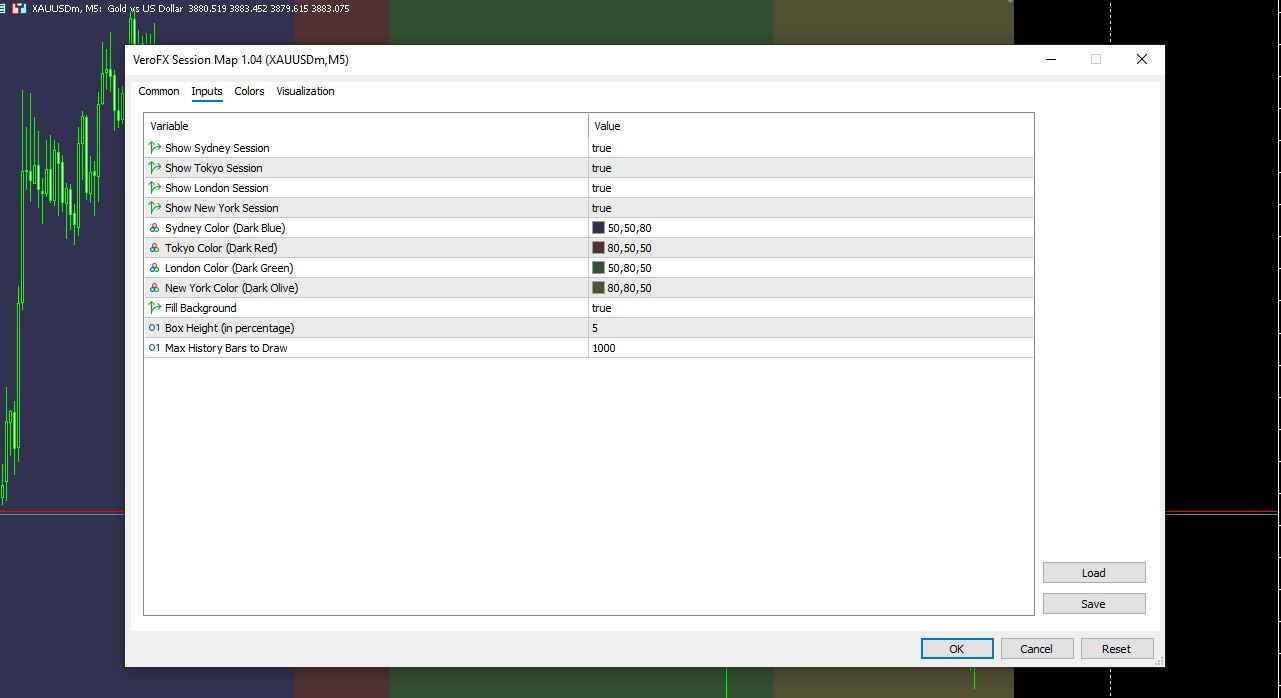
The settings window has four tabs (Common, Inputs, Colors, Visualization). The Inputs tab holds the controls below.
| Input | Default shown | What it controls |
|---|---|---|
| Show Sydney / Tokyo / London / New York Session | true (each) | Turns each session’s box on or off |
| Sydney Color | Dark Blue (50,50,80) | Box color for Sydney |
| Tokyo Color | Dark Red (80,50,50) | Box color for Tokyo |
| London Color | Dark Green (50,80,50) | Box color for London |
| New York Color | Dark Olive (80,80,50) | Box color for New York |
| Fill Background | true | Fills the box instead of drawing an outline |
| Box Height (in percentage) | 5 | Vertical size of each session box |
| Max History Bars to Draw | 1000 | How many past bars receive session boxes |
On an M5 chart, 1000 bars covers roughly three and a half days of history. Raise the value if you want to review further back, or lower it to keep the chart light.
Reading Sydney, Tokyo, London, and New York Boxes on an M5 Chart
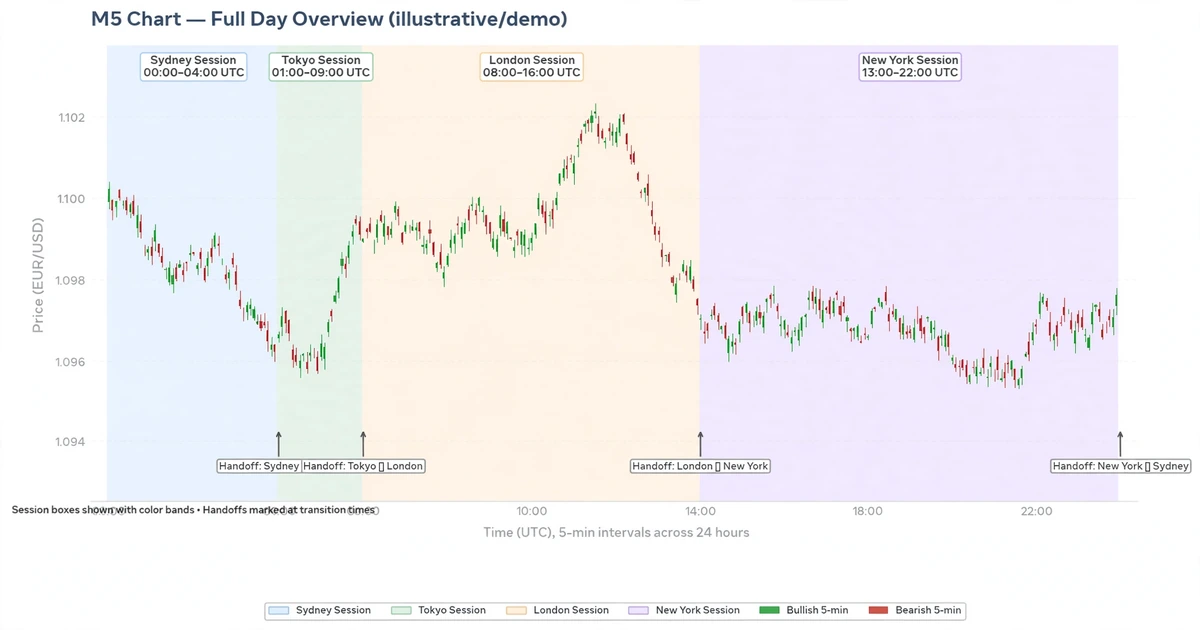
Each box marks a stretch of time. Where a box begins, a new session is underway, and where two boxes meet or overlap, you’re at a handoff between sessions.
A practical way to use this:
- Mark where a session starts and ends before looking at any entry setup.
- Compare how price behaved inside each box. Candles during one session may look different from the next, and that’s something to observe for yourself.
- Hide sessions you don’t trade. Fewer boxes means a cleaner chart.
The preview settings screenshot was captured on a gold symbol at M5. Other symbols and timeframes aren’t specified here, so test on a demo account before relying on it elsewhere.
Installing a Session Map .ex5 File in MT5’s Indicators Folder
MT5 indicators are typically installed as .ex5 files. Open MT5, choose File > Open Data Folder, and go to MQL5 > Indicators. Place the file there, refresh the Navigator panel (or restart MT5), and drag Session Map from the Indicators list onto a chart. The settings window opens automatically, where you can adjust the inputs above. Try it on a demo account first.
Built for Session-Aware Chart Readers, Not for Anyone Seeking Buy/Sell Alerts
Likely a good fit if you:
- Time your analysis around the Tokyo, London, or New York sessions
- Review historical charts and want to see which session each move belongs to
- Want a light visual layer that sits alongside your own method
Probably not for you if you:
- Expect the indicator to tell you when to buy or sell
- Want one tool to replace your own analysis and risk plan
- Trade without defined risk limits
Where Session Boxes Can Give a False Sense of Timing
Session shading is easy to over-trust. Keep these points in mind:
- A session being open doesn’t mean price will move. Some sessions are quiet on some days.
- Session boundaries are not hard stops. Price often crosses them with no reaction, and scheduled news can override any session pattern.
- Charts run on broker server time, so if your server clock differs from the session reference, the boxes may not line up with real market hours for your account. See the forex market hours 24 hour schedule for how the day is laid out.
- Spreads, slippage, and liquidity vary by broker and account type, and they affect real execution whatever the boxes show.
- Compatibility may vary by broker and account type.
- The indicator displays information based on historical price data and can mislead in some conditions.
Whatever you use session timing for, pair it with defined stop levels and position sizing. The forex risk management complete guide is a good place to start.
Questions About Session Colors, History Limits, and Server Time
Can I hide sessions I don’t trade?
Yes. Each of the four sessions has its own on/off setting, so you can show only the ones relevant to your plan.
Can I change the box colors?
Yes. Each session has its own color input, with dark blue, dark red, dark green, and dark olive as the defaults.
Why do boxes stop appearing on older candles?
The Max History Bars to Draw input limits how far back boxes are drawn. Its default is 1000, and you can raise or lower it.
Why might the boxes look shifted?
MT5 plots candles in broker server time, which often differs from your local time. Compare the boxes against your broker’s server clock before relying on them.
Disclaimer
This product is provided for educational and analytical purposes only and is not financial advice. Forex and CFD trading involves a high level of risk, and you can lose some or all of your capital. Leverage can magnify both gains and losses. No product can guarantee profits, and results vary. Never trade with money you can’t afford to lose.
Indicators display information based on historical price data and may produce misleading or delayed signals in some market conditions. They should be used as one part of a complete trading plan with proper risk management.
MetaTrader, MT4, and MT5 are trademarks of their respective owners. This product is not affiliated with or endorsed by MetaQuotes Ltd.