Swap Info: Long and Short Swap Rate Indicator for MT5
- Instant Download
- Lifetime Access
- Free Updates
- 24/7 Support
Code: IN76560
A position held past the daily rollover can be charged or credited a swap, and the amount differs between long and short, between symbols, and between brokers. Finding it usually means opening the contract specification. Swap Info is a long and short swap rate indicator for MT5 that puts those figures in a panel on your chart.
Long Swap, Short Swap, and Triple Swap Day in One Panel
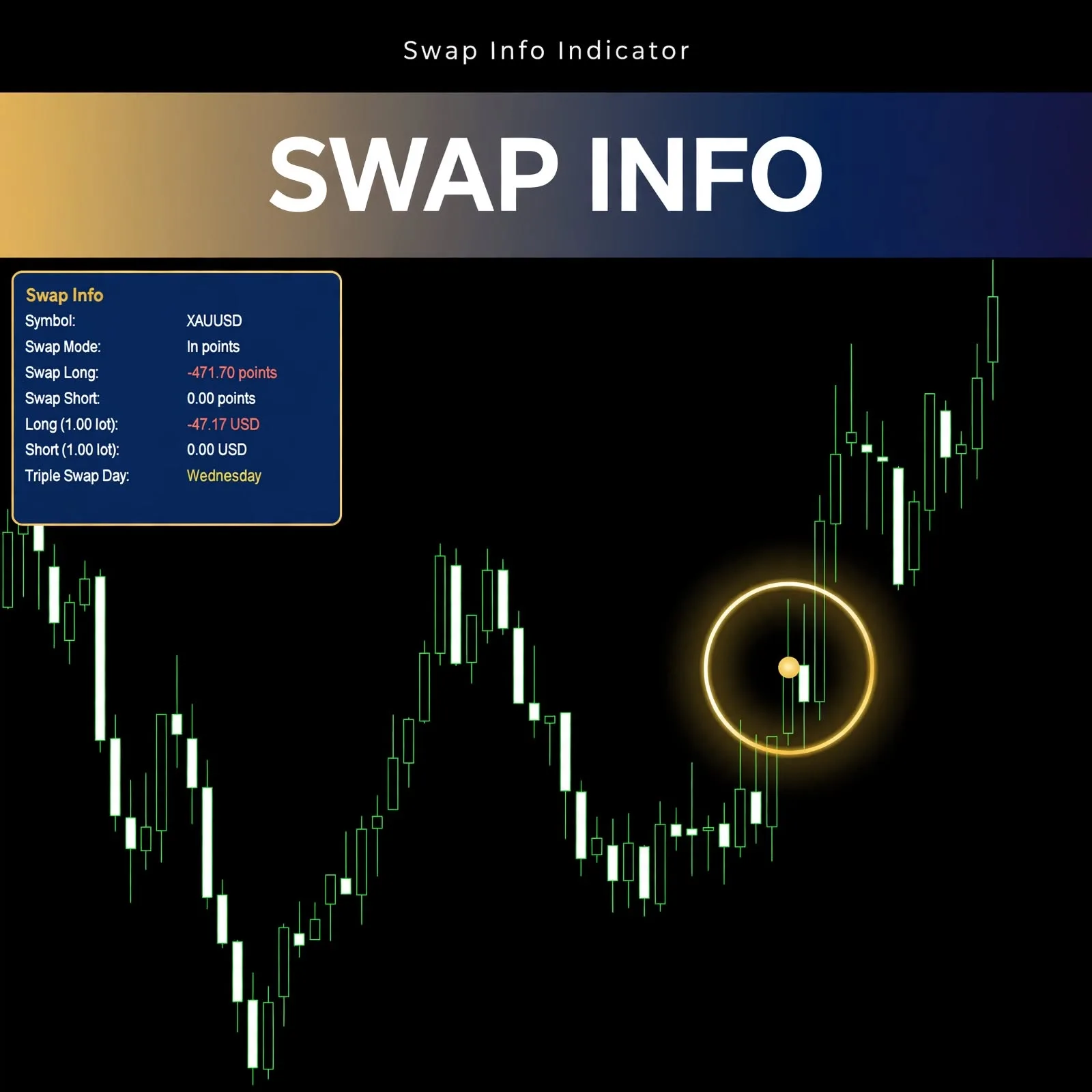
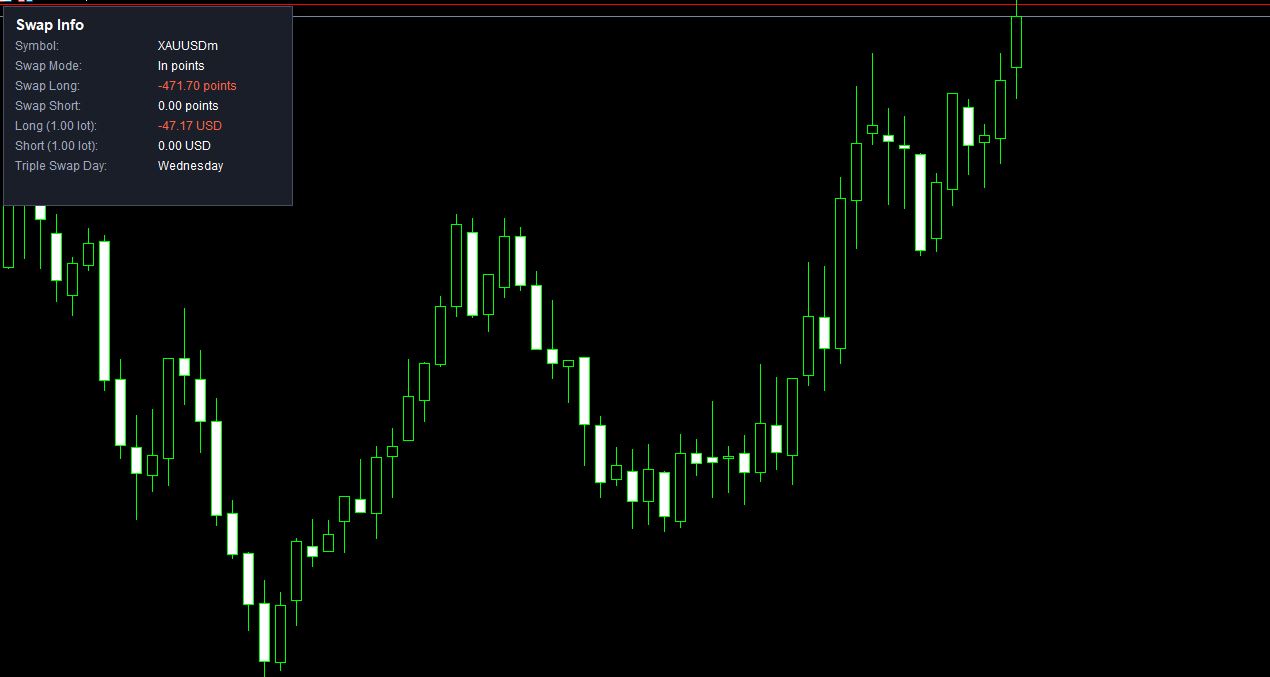
The panel in the product screenshot lists eight lines:
| Panel line | Example shown |
|---|---|
| Symbol | XAUUSDm |
| Swap Mode | In points |
| Swap Long | -471.70 points |
| Swap Short | 0.00 points |
| Long (1.00 lot) | -47.17 USD |
| Short (1.00 lot) | 0.00 USD |
| Triple Swap Day | Wednesday |
Negative values, such as the long swap here, appear in red, so a charge stands out from a zero or positive figure. The same swap is shown two ways: in points, as rates are often quoted, and in account currency for a 1.00 lot position.
Swap Per Lot in Account Currency, Not Just in Points
Points tell you the rate. Money tells you the cost. In the example, a long swap of -471.70 points corresponds to -47.17 USD for 1.00 lot, while the short side shows 0.00 points and 0.00 USD. Seeing both on one panel saves you from converting by hand.
Swap is one of several holding costs. For how currency and account settings affect costs more broadly, see forex currency conversion fees and account currency.
Swap Mode and Why the Panel Names It
The panel includes a Swap Mode line, shown here as “In points”. Brokers can calculate swap in different ways, for example in points, in money, or as an interest rate, so knowing which mode applies to your symbol tells you how to read the numbers. Check your broker’s contract specification if you need to confirm how swap is applied to your account.
The Wednesday Line: Reading the Triple Swap Day
The panel also shows a Triple Swap Day, which is Wednesday in the screenshot. On that day, swap for positions held through rollover is typically applied for three days to cover the weekend settlement. If you hold overnight, knowing which weekday this falls on before you open a position lets you plan around the larger charge or credit.
No Inputs Tab: Settings Window and Timeframe Visibility
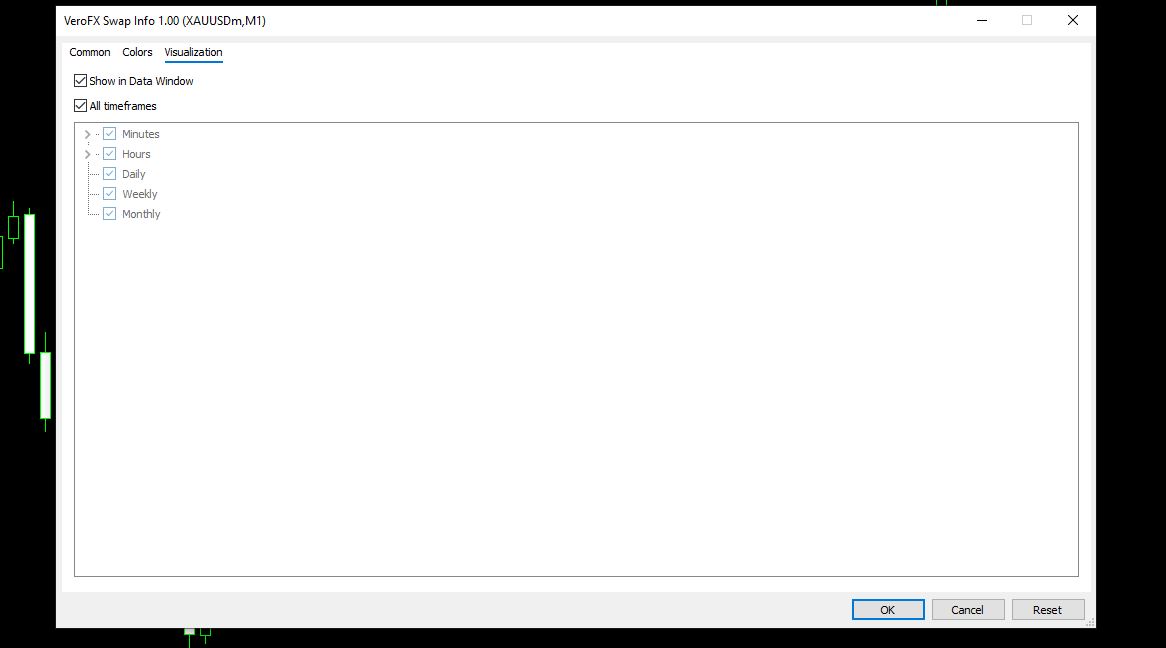
The indicator’s settings window has Common, Colors, and Visualization tabs, with no Inputs tab, so there are no numeric settings to tune. The Visualization tab shows the indicator enabled on all timeframes, from minutes to monthly, and Show in Data Window is checked.
The screenshots were captured on a gold symbol (XAUUSDm) on an M1 chart. Other symbols are not specified on this page, so test on a demo account with your own instruments. Compatibility may vary by broker and account type.
Installing a Swap Info .ex5 File in MT5
MT5 indicators are normally installed as .ex5 files. In MT5, choose File > Open Data Folder, then MQL5 > Indicators, and copy the file there. Refresh the Navigator panel (or restart MT5), then drag Swap Info onto a chart.
A Fit for Traders Who Hold Positions Past Rollover
Likely a good fit if you:
- Hold positions overnight or for several days and want to see the cost
- Compare long and short swap before choosing a direction to hold
- Trade several symbols whose swap differs widely
Probably not for you if you:
- Close every trade within the same session, where swap rarely applies (see scalping vs day trading vs swing trading)
- Expect the indicator to suggest entries or exits
- Want a tool with adjustable settings to tune
Where Swap Figures Can Differ From What You’re Charged
A panel shows a figure at a moment in time. Keep these limits in mind:
- Brokers set and change swap. Rates can be updated, so a figure seen today may not apply next week.
- Account and symbol differences. Swap can vary by account type and by symbol, and some accounts are swap-free.
- Only the long and short rates are shown. The panel doesn’t include spread, commission, or other costs.
- Triple swap timing depends on the broker. Confirm the day and how it’s applied with your own broker.
- A per-lot figure scales with volume. A position of a different size will have a different charge or credit.
- The indicator displays information based on symbol data and can mislead if you rely on it alone.
Holding costs belong in your risk plan alongside position size and stops. The forex risk management complete guide covers how to fold them in.
Questions About Swap Mode, Triple Swap, and Settings
Does it show both long and short swap?
Yes. The panel lists Swap Long and Swap Short, in points and as an amount for 1.00 lot.
Can I change any settings?
The settings window has Common, Colors, and Visualization tabs only, with no Inputs tab, so there are no numeric inputs to adjust.
Will the panel show a positive swap?
The screenshot shows a negative long swap in red and a zero short swap. Values depend on your broker and symbol, so a positive swap, where offered, would appear as reported for that symbol.
Which symbols and timeframes does it work on?
The screenshots show a gold symbol on M1, and the Visualization tab shows all timeframes enabled. Test on a demo account with your own instruments. Compatibility may vary by broker and account type.
Disclaimer
This product is provided for educational and analytical purposes only and is not financial advice. Forex and CFD trading involves a high level of risk, and you can lose some or all of your capital. Leverage can magnify both gains and losses. No product can guarantee profits, and results vary. Never trade with money you can’t afford to lose.
Indicators display information based on historical price data and may produce misleading or delayed signals in some market conditions. They should be used as one part of a complete trading plan with proper risk management.
MetaTrader, MT4, and MT5 are trademarks of their respective owners. This product is not affiliated with or endorsed by MetaQuotes Ltd.