RSI Signal Indicator for MT5: Adjustable Overbought/Oversold Alerts
- Instant Download
- Lifetime Access
- Free Updates
- 24/7 Support
Code: IN77706
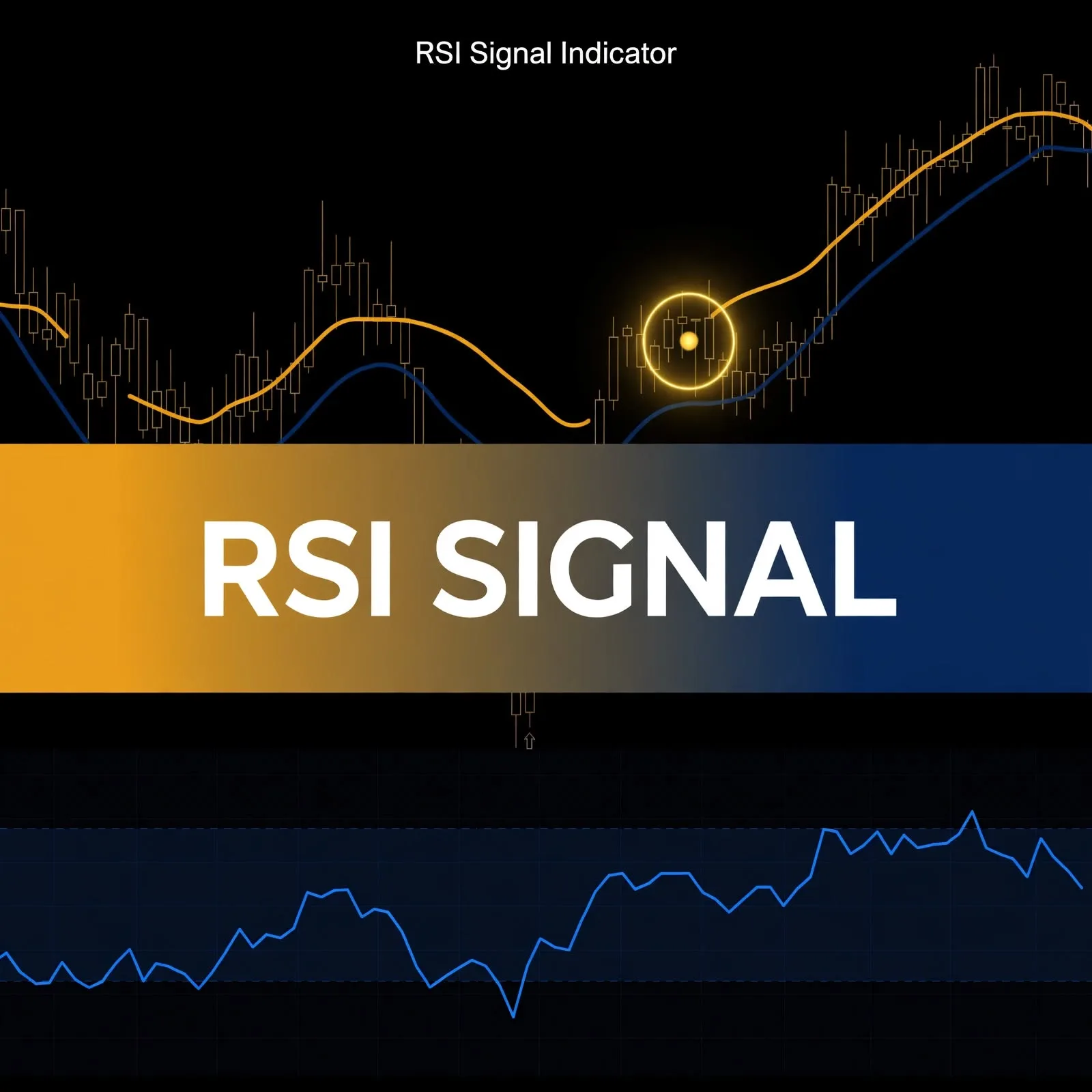
A fixed 14-period RSI with 70 and 30 levels doesn’t suit every chart, and watching the oscillator window all day isn’t practical either. The RSI Signal indicator for MT5 puts the period and both thresholds in your hands, then alerts you when RSI moves past them.
Four Inputs You Can Change at Any Time
The Inputs tab holds every setting the indicator needs. You can edit any of them whenever you want, without reinstalling anything.
| Input | Default | What it controls |
|---|---|---|
| RSI Period | 14 | How many bars feed the RSI calculation. A shorter period reacts faster, and a longer one smooths the line. |
| Overbought Level | 70 | The upper threshold that RSI must reach or pass to count as overbought. |
| Oversold Level | 30 | The lower threshold that RSI must reach or pass to count as oversold. |
| Enable Alerts on Signal | true | Turns the alert on or off. |
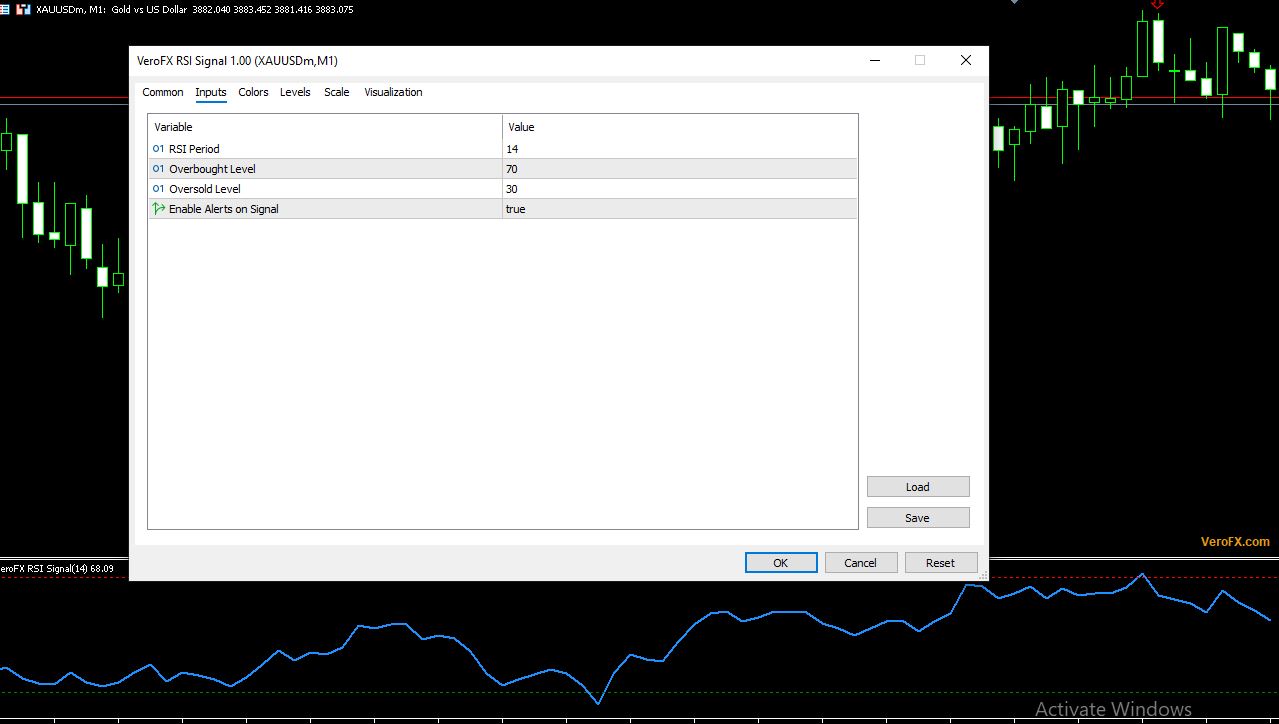
The defaults are the common textbook values, so you can attach the indicator and use it right away. If you prefer 80/20 for fewer, more extreme readings, or a different period for a faster or slower line, you can set that yourself.
Alerts When RSI Pushes Past Your Overbought or Oversold Level
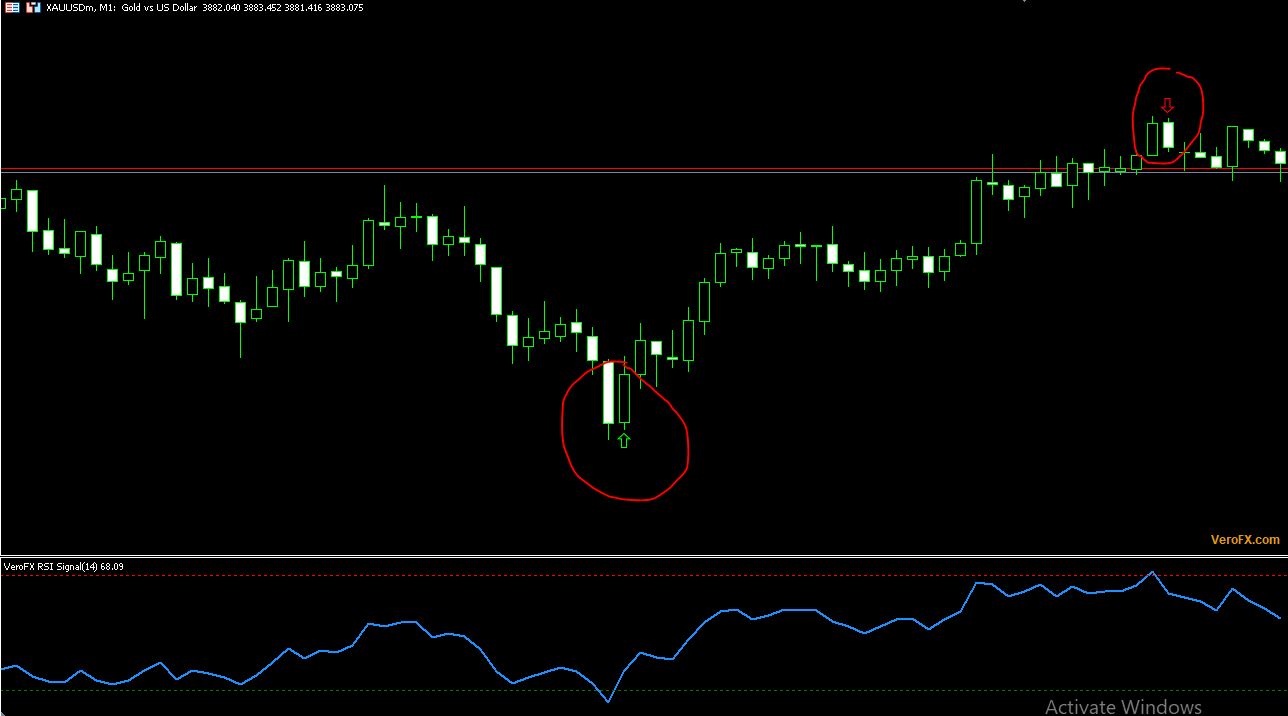
With alerts enabled, the indicator notifies you when a signal occurs. That means RSI has moved past the overbought or oversold level you set. You don’t need to keep one eye on the oscillator to catch it.
Because the alert follows your own levels, tightening or loosening them changes how often it fires. If you only want alerts for deeper extremes, widen the gap. To stop notifications, set the alert input to false.
The Same RSI Logic From M1 to Higher Timeframes
The indicator works on all timeframes, so you can attach it to a one-minute chart for short-term momentum or to a higher timeframe for a slower view. The settings and alert behavior stay the same.
Timeframe still changes how the signals behave. Lower timeframes produce more threshold crossings and more alerts, while higher ones produce fewer. If you’re still deciding which timeframe fits you, the guide on how to choose your trading style is a good place to start.
The DodgerBlue RSI Line and Its Display Options
The indicator draws a single RSI line, DodgerBlue by default. On the Colors tab you can change its color, width and line style to match your chart theme. The Levels tab is the standard MT5 place to review the horizontal levels shown with the line.
Because the indicator is built on RSI, it’s easy to read next to other tools. Many traders combine it with structure or support and resistance, which the article on price action vs indicators discusses.
Adding the RSI Signal Indicator to an MT5 Chart
Like other custom MT5 indicators, this one goes into the MQL5 Indicators folder, which you can reach from File > Open Data Folder. After you refresh the Navigator panel or restart the terminal, it appears in the list. Drag it onto a chart and its settings window opens with the tabs described above. Try it on a demo account first so you can see how your chosen period and levels behave on your own instruments.
When an RSI Extreme Can Work Against You
- Strong trends: RSI can stay overbought or oversold for a long stretch while price keeps moving the same way. Treating every alert as a reversal can mean repeated early counter-trend trades.
- Alert frequency on low timeframes: a one-minute chart crosses its thresholds far more often than an hourly one, so alerts can pile up.
- Lag: RSI is calculated from past prices, so it can trail sharp moves.
- Settings sensitivity: a very short period or narrow levels create more signals, and many of them may be weak.
- Execution costs: spreads, slippage and broker conditions affect real trades in ways an indicator can’t show.
Alerts work best inside a plan with defined stops and position sizing, as covered in the forex risk management complete guide.
Built for Traders Who Tune RSI Themselves, Not for Anyone Wanting Ready-Made Entries
This tool suits traders who already use RSI and want control over the period and thresholds, plus an alert so they don’t have to watch the oscillator constantly. It also fits people who trade across several timeframes and want one indicator that behaves the same on each.
It isn’t for anyone looking for instructions on when to buy or sell, or for traders who plan to skip stop-loss levels and position sizing.
Questions About RSI Period, Levels and Alert Settings
Can I change the RSI period and the 70/30 levels?
Yes. RSI Period, Overbought Level and Oversold Level are all editable inputs. You can change them at any time from the indicator’s settings window.
Does it work on every timeframe?
Yes. It works on all timeframes. Note that the number of alerts varies a lot between a one-minute and a daily chart.
How do I switch the alerts off?
Set the Enable Alerts on Signal input to false. Set it back to true when you want notifications again.
Does an alert mean I should enter a trade?
No. It tells you RSI has moved past one of your levels, and price can keep going in the same direction. Weigh it against trend, structure and your own risk rules.
Disclaimer
This product is provided for educational and analytical purposes only and is not financial advice. Forex and CFD trading involves a high level of risk, and you can lose some or all of your capital. Leverage can magnify both gains and losses. No product can guarantee profits, and results vary. Never trade with money you can’t afford to lose.
Indicators display information based on historical price data and may produce misleading or delayed signals in some market conditions. They should be used as one part of a complete trading plan with proper risk management.
MetaTrader, MT4, and MT5 are trademarks of their respective owners. This product is not affiliated with or endorsed by MetaQuotes Ltd.