EMA Cross Pro: EMA Crossover Indicator for MT5
- Instant Download
- Lifetime Access
- Free Updates
- 24/7 Support
Code: IN11935
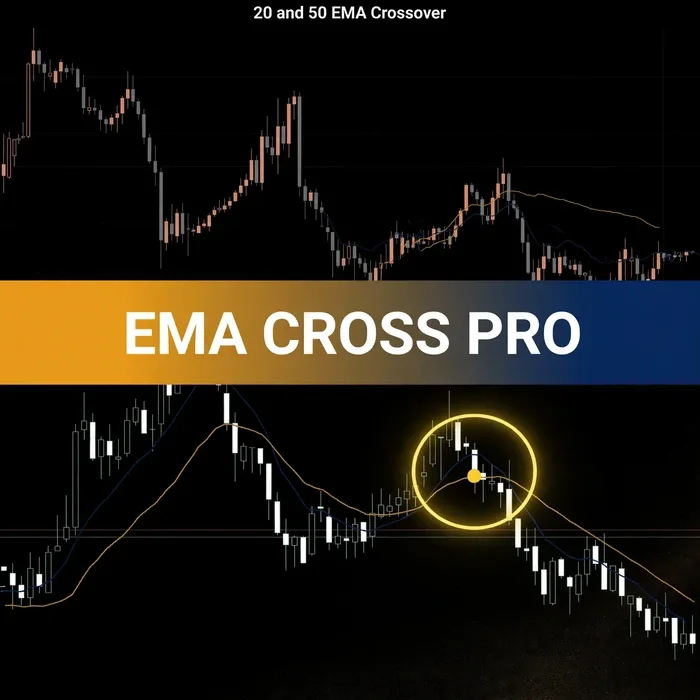
A 9 EMA crossing above a 21 EMA is easy to spot on a finished chart and easy to miss on a live one. VeroFX EMA Cross Pro is an EMA crossover indicator for MT5 that plots an arrow on your chart when the two averages cross, and it can send an alert at the same moment.
How a 9/21 EMA Crossover Becomes an Arrow on Your Chart
An exponential moving average (EMA) is a moving average that gives more weight to recent prices, so it reacts faster than a simple average. EMA Cross Pro uses two of them: a fast EMA and a slow EMA, set to 9 and 21 periods by default.
A crossover happens when the fast EMA moves across the slow one. The indicator marks that point with an arrow and, if alerts are enabled, notifies you. Many traders use EMA crossovers as one way to watch for a possible shift in short-term momentum, and our guide to the 9 and 21 EMA crossover strategy shows how this pair is commonly read.
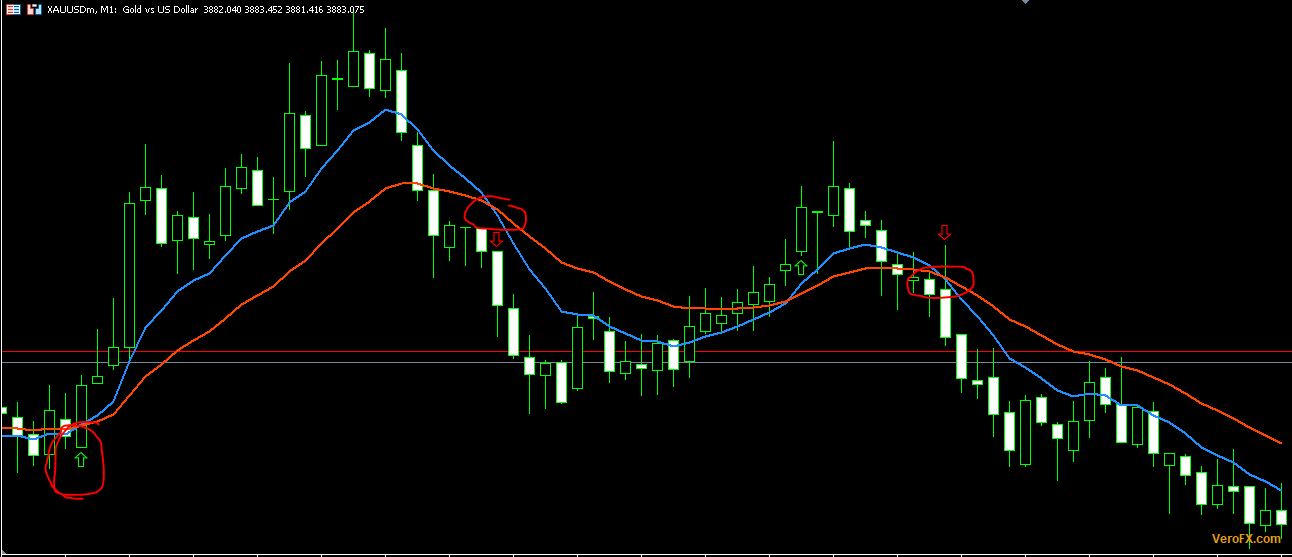
The arrow marks where the averages crossed. It is not a prediction, and it is not an instruction to enter a trade.
Editable Periods, Chart Arrows and a Crossover Alert
- Editable EMA periods: Change the fast and slow values to any periods you want instead of the 9/21 defaults, so you can test your own pairings.
- Arrows on the chart: Each crossover is plotted as an arrow, so you don’t have to compare two lines by eye.
- Crossover alert: When a crossover happens, the indicator can alert you, so you don’t need to watch the chart continuously.
- Alert on/off switch: The alert is a simple true/false setting, so you can keep only the arrows if you prefer.
The Inputs tab of the indicator’s properties window shows these settings:
| Setting | Default | What it controls |
|---|---|---|
| Fast EMA period | 9 | Length of the faster average |
| Slow EMA period | 21 | Length of the slower average |
| Enable Alert on Crossover | true | Turns the crossover alert on or off |
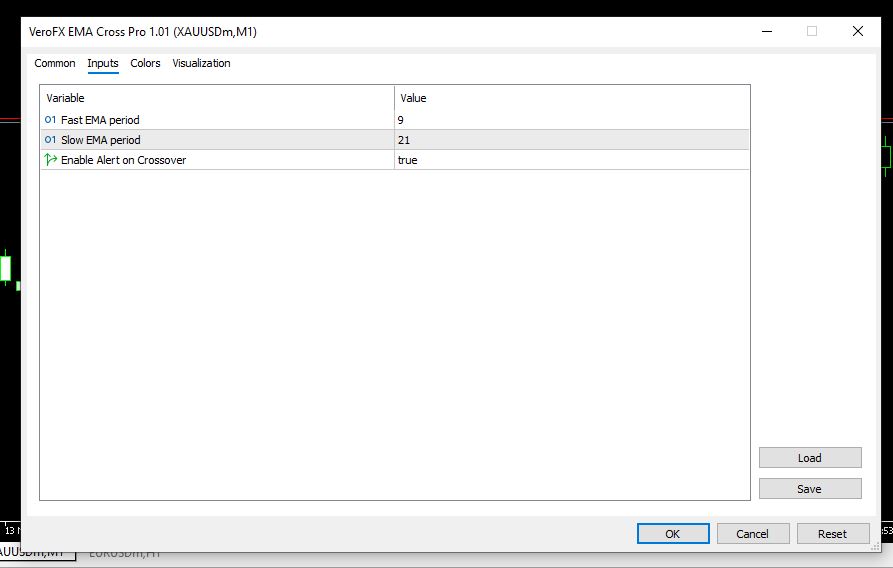
Shorter periods make the lines react faster and cross more often. Longer periods smooth the lines and cross less often. Keep the fast period lower than the slow period, so the “fast” line really is the faster one.
Adding the Indicator to an MT5 Chart
If your download includes setup instructions, follow those first. Otherwise, the usual MT5 routine for a custom indicator is:
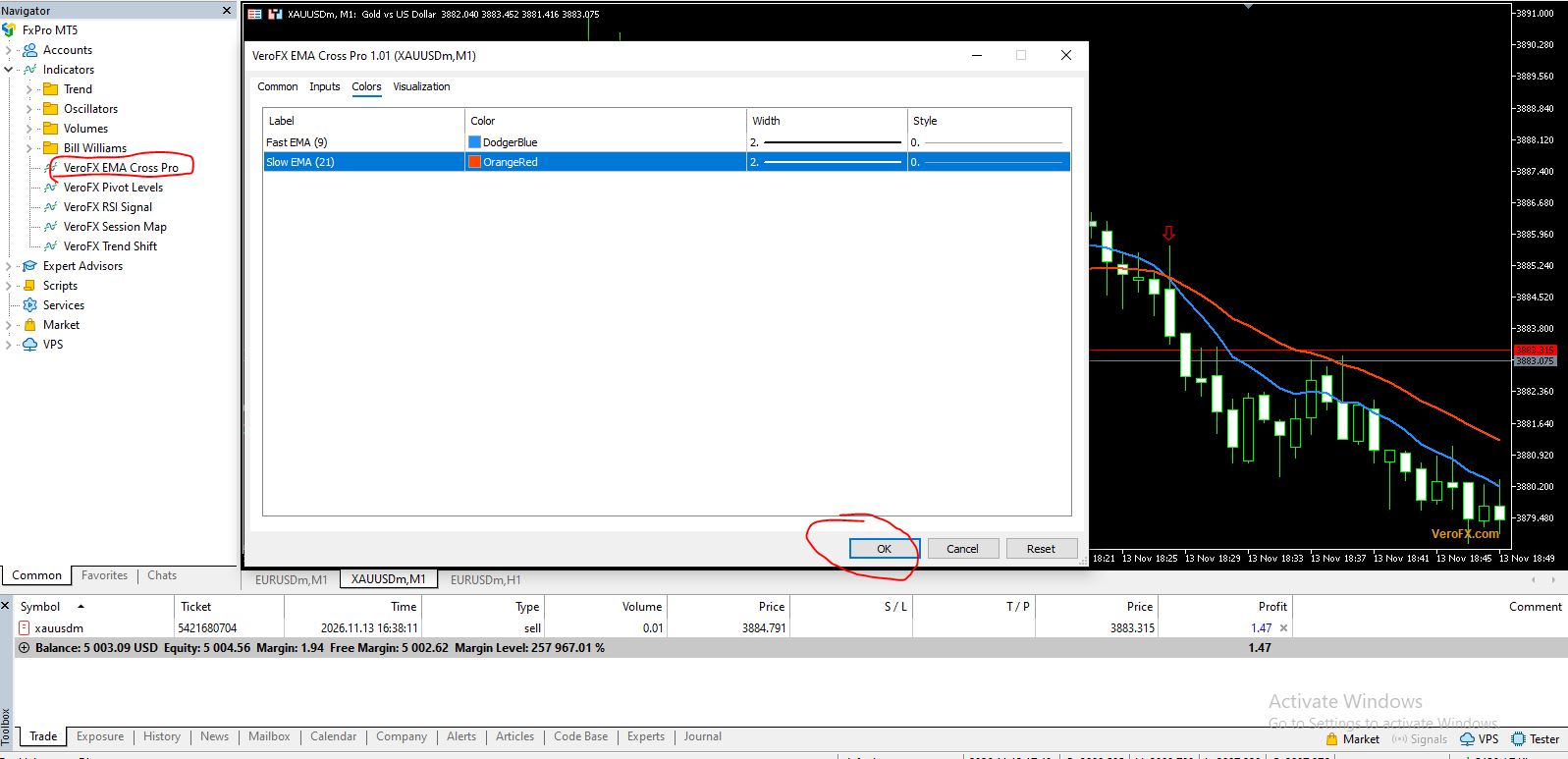
- In MT5, choose File > Open Data Folder, then open MQL5 > Indicators and place the indicator file there.
- Refresh the Navigator panel (or restart MT5) so the indicator appears under Indicators.
- Drag it onto a chart, open the Inputs tab, set your periods and alert option, and click OK.
Run it on a demo account first, so you can see how the arrows and alerts behave before you rely on them with real funds.
Made for Traders Who Read Crossovers Themselves
EMA Cross Pro suits traders who already use a fast/slow EMA crossover and want it marked automatically, traders who like trying their own period pairs, and anyone who would rather get an alert than keep a chart open all day.
It isn’t a good fit if you expect guaranteed results, want software that opens and closes trades for you (this is an indicator, not an Expert Advisor), or trade without stop-loss and position-size rules. Some traders also prefer reading raw price over lagging averages, and price action vs indicators compares the two approaches.
Where EMA Crossovers Lag and Whipsaw
No indicator works in every market condition, and EMA crossovers have well-known weak spots:
- Lag: EMAs are built from past prices, so a crossover appears after the move has started, not before.
- Choppy markets: When price moves sideways, the two EMAs can cross back and forth repeatedly, producing arrows that lead nowhere.
- Short periods add noise: Faster settings cross more often, which means more arrows and more false starts.
- Alerts need a running terminal: MT5 alerts depend on your platform being open and connected to your broker.
- Execution costs: If you act on an arrow, spread and slippage can change your actual entry.
How much to risk per trade is a separate decision from any indicator. The forex risk management complete guide walks through it. Results vary, and there is no guarantee that any crossover will be followed by a favorable move.
Questions About Periods, Arrows and Alerts
Can I use periods other than 9 and 21?
Yes. The fast EMA period and slow EMA period are both inputs, so you can enter your own values in the indicator’s properties. The 9/21 pairing is only the default. Keep the fast period lower than the slow one.
Do I have to use the alert?
No. The alert is controlled by the “Enable Alert on Crossover” setting. It shows true by default, and you can set it to false if you only want the arrows plotted on your chart.
Does the indicator open trades for me?
No. It plots arrows and can send alerts. Any decision to trade, and how to size and protect that trade, stays with you.
Can I try it on a demo account first?
Yes, and it’s a sensible first step. Load it on a demo chart, try a few period settings, and watch how the arrows behave in different market conditions before using real money.
Disclaimer
This product is provided for educational and analytical purposes only and is not financial advice. Forex and CFD trading involves a high level of risk, and you can lose some or all of your capital. Leverage can magnify both gains and losses. No product can guarantee profits, and results vary. Never trade with money you can’t afford to lose.
Indicators display information based on historical price data and may produce misleading or delayed signals in some market conditions. They should be used as one part of a complete trading plan with proper risk management.
MetaTrader, MT4, and MT5 are trademarks of their respective owners. This product is not affiliated with or endorsed by MetaQuotes Ltd.