Spread Watch: Live Spread Monitor and Alert Indicator for MT5
- Instant Download
- Lifetime Access
- Free Updates
- 24/7 Support
Code: IN47361
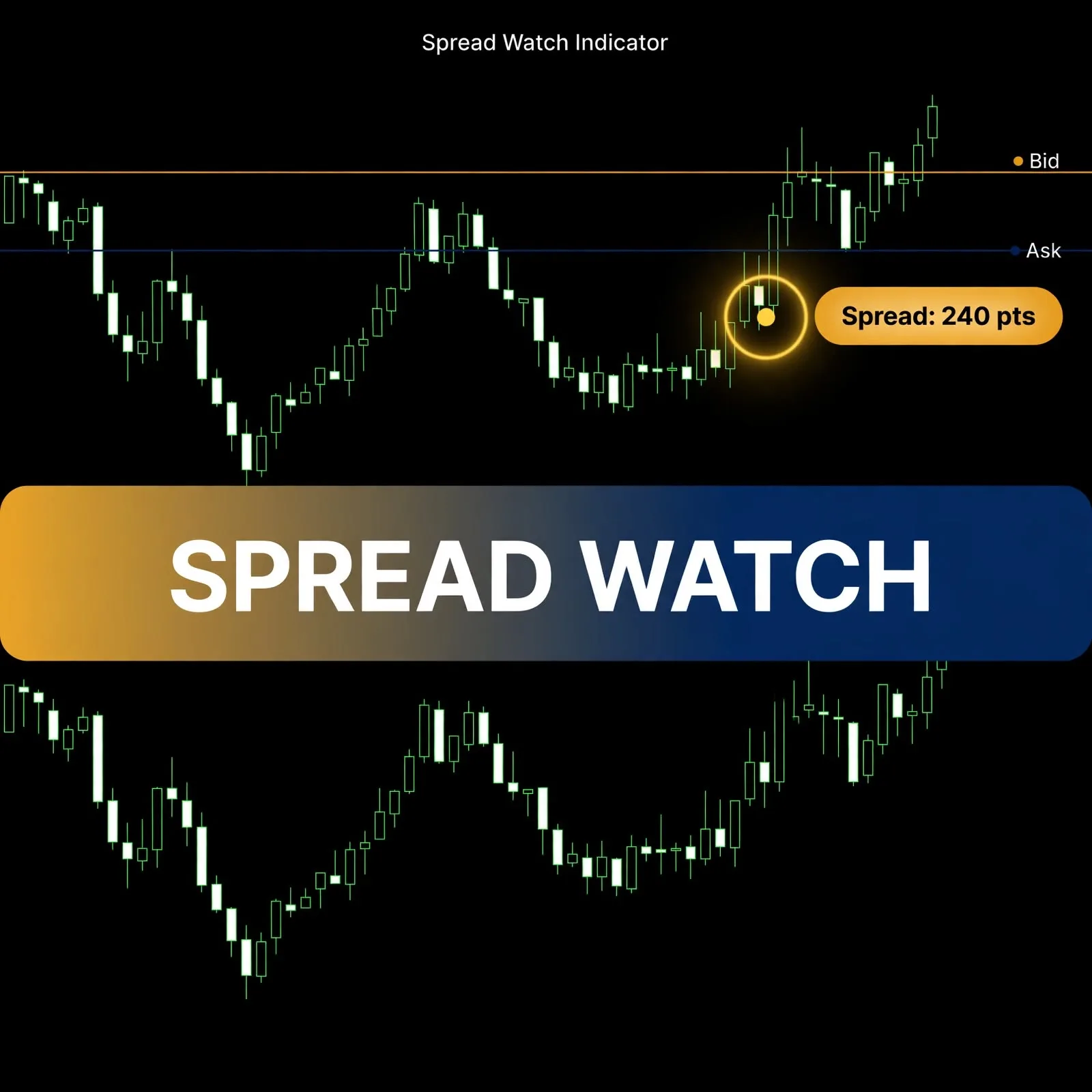
A spread that looks normal at one moment can be several times wider a minute later, and the platform won’t warn you. Spread Watch is an MT5 live spread indicator. It displays the current spread on your chart and alerts you when it rises above a limit you set, so a cost spike doesn’t go unnoticed.
A Live Spread Readout That Changes Color When It Crosses Your Limit
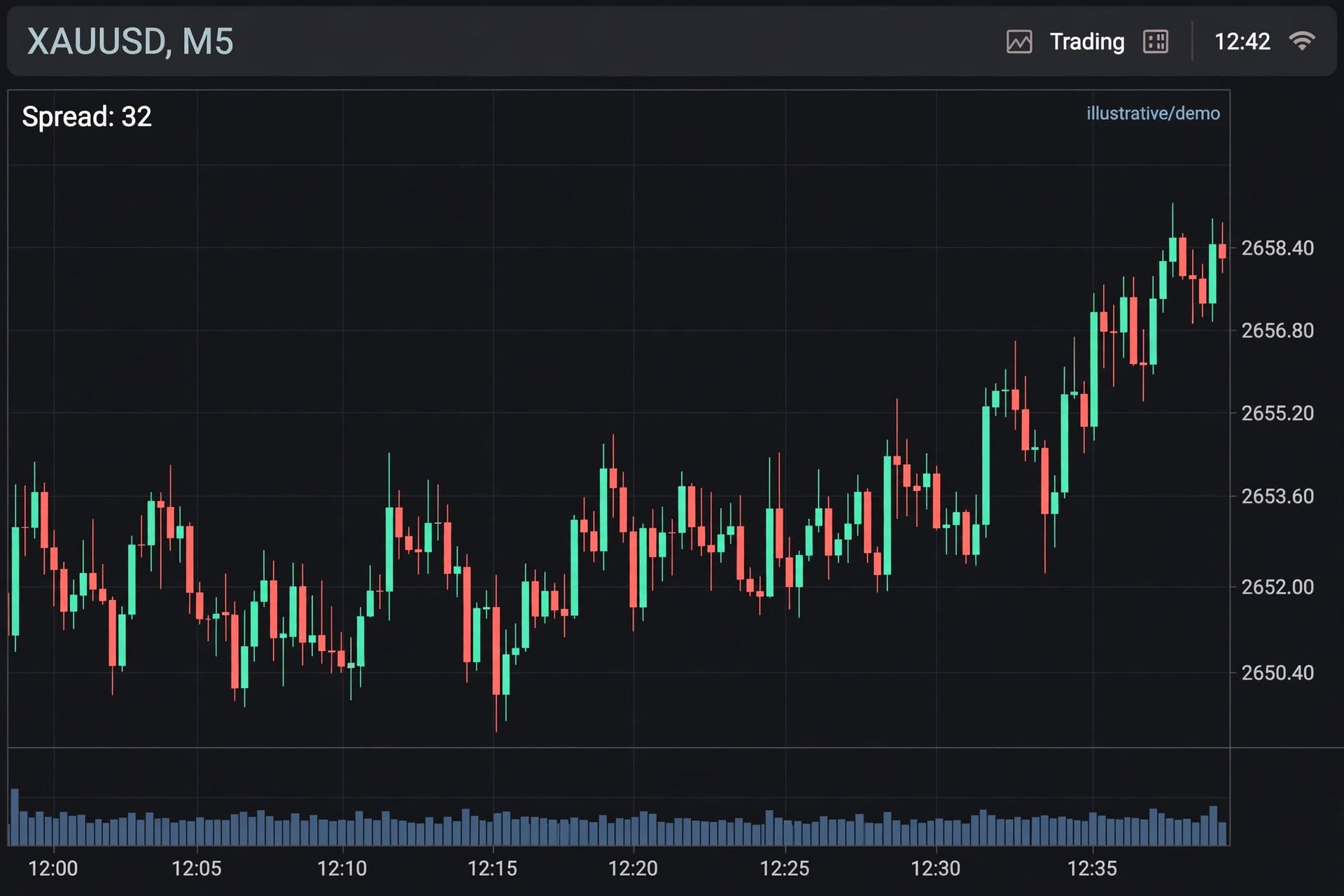
- Spread shown on the chart. The current spread is displayed in a text panel, with a position you can set from the Panel corner, X distance, and Y distance inputs. It’s shown in the upper left corner in the screenshot.
- Normal and warning colors. The text uses one color normally (White in the screenshot) and a second color (OrangeRed) when the spread is above your limit.
- Your own threshold. The “Alert when spread is above” input is shown at 30.0, and setting it to 0 turns the alert off if you only want the readout.
- Three alert channels. Popup alert, Sound alert, and Push notification to phone can each be switched on or off.
- Control over repeat alerts. A repeat interval in seconds is available, and 0 means one alert per spike.
- Spread unit selection. The unit is shown as Points.
What Each Spread Watch Setting Does
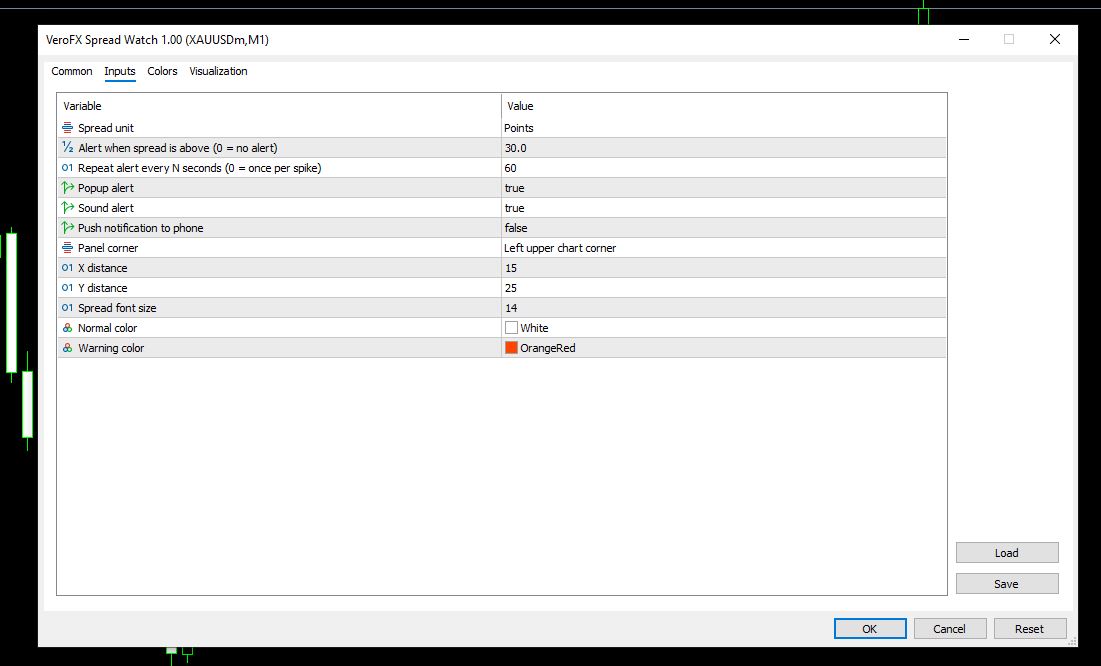
| Input | Value shown | What it controls |
|---|---|---|
| Spread unit | Points | The unit the spread is measured in |
| Alert when spread is above (0 = no alert) | 30.0 | The limit that triggers the alert and warning color |
| Repeat alert every N seconds (0 = once per spike) | 60 | How often the alert repeats while the spread stays high |
| Popup alert | true | Shows an alert window in MT5 |
| Sound alert | true | Plays the platform alert sound |
| Push notification to phone | false | Sends the alert to the MT5 mobile app |
| Panel corner | Left upper chart corner | Where the readout is anchored |
| X distance / Y distance | 15 / 25 | Offset of the readout from that corner |
| Spread font size | 14 | Size of the readout text |
| Normal color / Warning color | White / OrangeRed | Readout colors below and above the limit |
The settings window also includes Common, Colors, and Visualization tabs.
Reading an Alert: Symbol, Current Spread, and Your Limit
The alert message names the symbol, the current spread, and the limit you set, in one line. In the product screenshot it reads: “Spread Watch: XAUUSDm spread is 240 points (limit 30).” You can see at a glance which instrument triggered it and by how much it exceeded your threshold.
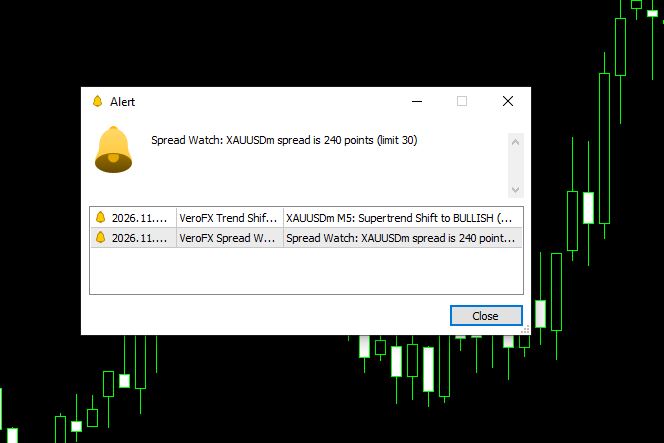
This matters most if you have the indicator on several charts, since the symbol in the message tells you where to look.
Setting a Spread Limit That Matches Your Symbol and Style
The 30.0 limit in the screenshot is an example from a gold symbol on an M1 chart. The right limit depends on your symbol, broker, and account type, and this page doesn’t recommend one. A practical approach is to watch the readout during your normal trading hours, note the usual range, and set the limit somewhat above it. Test on a demo account first.
Spread can matter more for shorter-term styles. A wider spread is a larger share of a small target, which is discussed in scalping vs day trading vs swing trading. For symbol-specific background, see gold trading for beginners.
Installing a Spread Watch .ex5 File in MT5
MT5 indicators are normally installed as .ex5 files. In MT5, go to File > Open Data Folder, then MQL5 > Indicators, and copy the file there. Refresh the Navigator panel (or restart MT5), then drag Spread Watch onto a chart and adjust the inputs. To use the phone notification option, MT5 itself must first be linked to the mobile app through its notification settings.
A Fit for Cost-Aware Traders, Not a Substitute for Trade Planning
Likely a good fit if you:
- Trade short timeframes where execution cost is a large share of each move
- Want to know when spreads widen without watching the quote every minute
- Run several symbols and need an alert that names the one affected
Probably not for you if you:
- Expect the indicator to analyze trend or suggest entries
- Want it to block or manage trades, since it only displays and alerts
- Don’t use spread as a factor in your decisions
What a Spread Alert Can’t Tell You
Spread monitoring has clear limits:
- It reports the spread, not the reason. Spreads can widen around news, market open and close, and thin liquidity, but the alert won’t say which.
- The readout reflects your broker’s quoted spread at that moment, which can change quickly and may not match the spread at your exact execution time.
- It doesn’t predict whether spreads will narrow or keep widening.
- It doesn’t affect orders. Slippage, requotes, and execution depend on your broker and account type.
- Spread units and point sizes vary by symbol and broker, so a limit that suits one instrument won’t suit another.
- The indicator displays information based on market data and can mislead if you rely on it alone.
Treat spread as one input to your risk plan. The forex risk management complete guide covers where trading costs fit alongside position size and stops.
Questions About Spread Alerts, Repeat Timing, and Phone Notifications
Can I use Spread Watch without alerts?
Yes. Setting “Alert when spread is above” to 0 means no alert, and you keep only the live readout.
What does the repeat setting do?
It sets how many seconds pass between alerts while the spread stays above your limit. At 0, you get one alert per spike.
How do I get alerts on my phone?
Turn on “Push notification to phone.” MT5 must be set up for push notifications through its own settings and the mobile app first.
Which timeframes and symbols does it work on?
The screenshots were captured on a gold symbol on M1. Other symbols and timeframes aren’t specified here, so test on a demo account with your own instruments. Compatibility may vary by broker and account type.
Disclaimer
This product is provided for educational and analytical purposes only and is not financial advice. Forex and CFD trading involves a high level of risk, and you can lose some or all of your capital. Leverage can magnify both gains and losses. No product can guarantee profits, and results vary. Never trade with money you can’t afford to lose.
Indicators display information based on historical price data and may produce misleading or delayed signals in some market conditions. They should be used as one part of a complete trading plan with proper risk management.
MetaTrader, MT4, and MT5 are trademarks of their respective owners. This product is not affiliated with or endorsed by MetaQuotes Ltd.