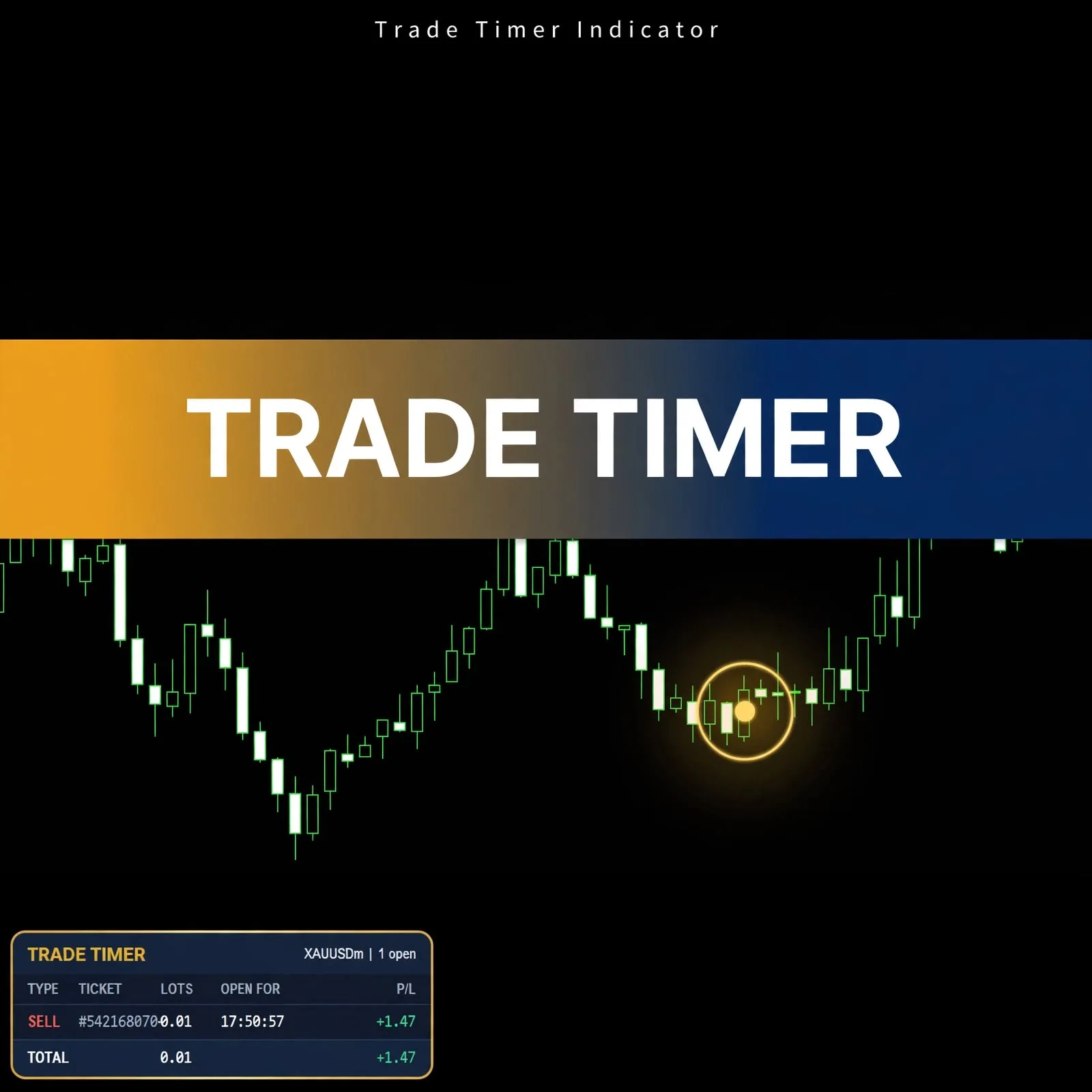
Trade Timer: Open Trade Duration Indicator for MT5
- Instant Download
- Lifetime Access
- Free Updates
- 24/7 Support
Code: IN13399
MT5 shows when a trade was opened, but not how long it has been running, and you have to open the terminal’s trade list to find even that. Trade Timer is an MT5 indicator that lists your open trades on the chart with a running “open for” clock, so you can see how long each position has been live.
An Open-Trades Table With a Running Clock
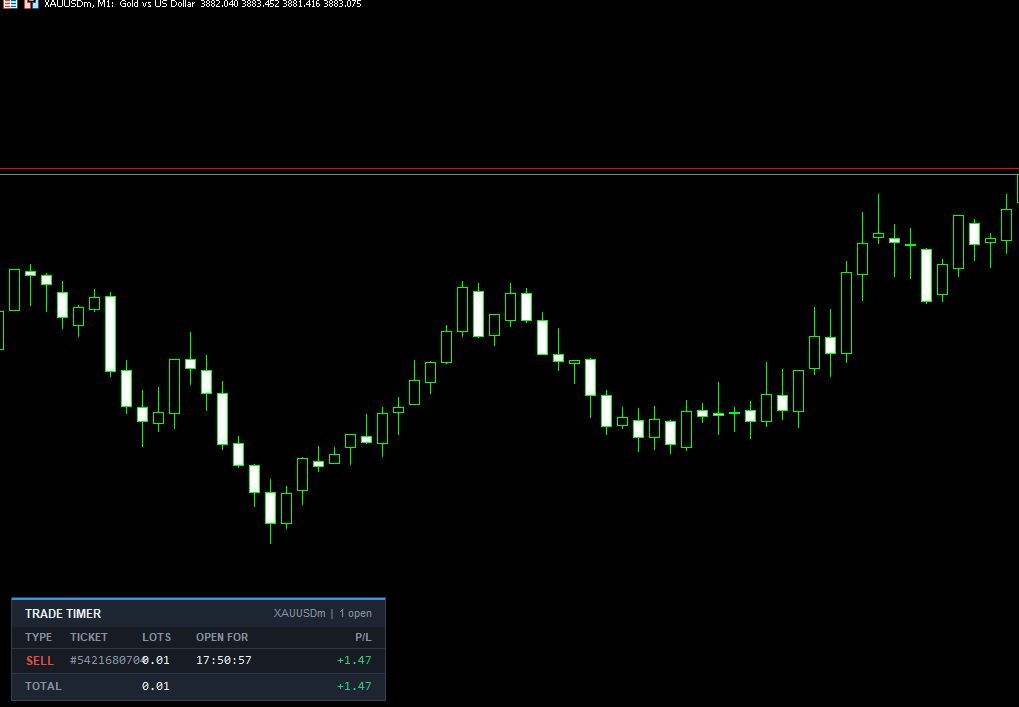
The panel in the product screenshot sits in the lower left of the chart. Its header shows the symbol and the number of open trades (in the example, “XAUUSDm | 1 open”). Below that is a table with five columns:
| Column | What it shows |
|---|---|
| Type | Buy or sell, with sell shown in red in the example |
| Ticket | The trade’s ticket number |
| Lots | The position size |
| Open For | How long the trade has been open, as a clock (17:50:57 in the example) |
| P/L | Profit or loss, shown in green when positive |
A Total row sums the lots and the P/L across the listed trades. The example shows a single 0.01 lot sell trade; the figures are layout examples, not trading results.
Profit Plus Swap and Text Size: The Two Settings
The Inputs tab has two settings:
- Show profit (profit + swap) is shown as true. When on, the P/L column includes swap. Setting it to false hides the profit column if you only want the timing.
- Text size (7-14) is shown at 9. The label gives the range, so you can make the panel smaller on a busy chart or larger on a high-resolution screen.
The settings window also includes Common, Colors, and Visualization tabs.
Why the Age of an Open Trade Is Worth Seeing
Time in a trade is easy to lose track of, especially with several positions or when you step away from the screen. A visible clock helps in a few practical ways:
- You can check a position against your own plan, for example a time-based exit.
- You can tell short-lived trades from ones you’ve been carrying for hours.
- If you hold overnight, you can see that a position is running toward the rollover, which is where swap applies.
How long to hold depends on your approach, and trading styles explained compares how different styles think about time.
Tested on a Gold Symbol at M1: Scope and Compatibility
The screenshots were captured on a gold symbol (XAUUSDm) on an M1 chart, with the settings window labeled version 1.10. Other symbols and timeframes aren’t specified on this page, so test on a demo account with your own instruments. Compatibility may vary by broker and account type.
Installing a Trade Timer .ex5 File in MT5
MT5 indicators are normally installed as .ex5 files. In MT5, choose File > Open Data Folder, then MQL5 > Indicators, and copy the file there. Refresh the Navigator panel (or restart MT5), then drag Trade Timer onto a chart. You’ll see open trades appear in the panel once you have positions running.
A Fit for Traders Who Manage Several Positions by Time
Likely a good fit if you:
- Hold more than one position and want age and size in a single view
- Use time as part of your exit rules
- Want a compact table instead of the platform’s full trade list
Probably not for you if you:
- Expect an indicator to open, close, or modify trades for you
- Want entry or exit suggestions from price analysis
- Don’t track how long positions stay open
Where a Position Clock Can Mislead You
A timer reports duration. It doesn’t judge whether a trade is good:
- Time open isn’t trade quality. A position held longer isn’t better or worse for it.
- It’s display only. The panel doesn’t close trades, move stops, or manage risk.
- The clock follows your platform’s time. Check how it lines up with your broker’s server time if you rely on exact durations.
- P/L is a snapshot. Floating profit and loss changes with every price update and isn’t realized until you close.
- The profit column includes swap when enabled. The setting label mentions profit and swap only, so check how your broker handles commission.
- Staring at a live clock can influence decisions. Watching how long you’ve held a loser, or how much you’re up, can push you into early exits or stubborn holds, a pattern covered in how emotions affect trading decisions.
- The indicator displays information based on your account data and can mislead if you rely on it alone.
Time-based rules work best when paired with stops and position sizing set in advance. The forex risk management complete guide covers how to build that plan.
Questions About the Open For Clock, Swap in P/L, and Text Size
What does the “Open For” column show?
It shows how long each trade has been open, as a running clock. The example shows 17:50:57 for one position.
Does the P/L column include swap?
It does when “Show profit (profit + swap)” is true. Set it to false if you’d rather hide the profit column.
Can I make the panel bigger or smaller?
Yes. Text size accepts values from 7 to 14 and is shown at 9.
Which symbols and timeframes does it work on?
The screenshots show a gold symbol on M1. Other symbols and timeframes aren’t specified here, so test on a demo account first. Compatibility may vary by broker and account type.
Disclaimer
This product is provided for educational and analytical purposes only and is not financial advice. Forex and CFD trading involves a high level of risk, and you can lose some or all of your capital. Leverage can magnify both gains and losses. No product can guarantee profits, and results vary. Never trade with money you can’t afford to lose.
Indicators display information based on historical price data and may produce misleading or delayed signals in some market conditions. They should be used as one part of a complete trading plan with proper risk management.
MetaTrader, MT4, and MT5 are trademarks of their respective owners. This product is not affiliated with or endorsed by MetaQuotes Ltd.